
Caddx Ascent launched as cheap digital FPV with one rather awkward flaw, it did not feel finished. After several firmware updates, that verdict needs revisiting, because the system has gone from "probably not" to "actually, maybe".
## TLDR: What you actually need to know
- Caddx Ascent is much better than it was at launch. The original stutter problem has been reduced enough that it is no longer the main reason to avoid it.
- Firmware versions mentioned: 16.5.3, 16.5.7, and 17.5.8, with the newest release adding wireless and frame switching changes.
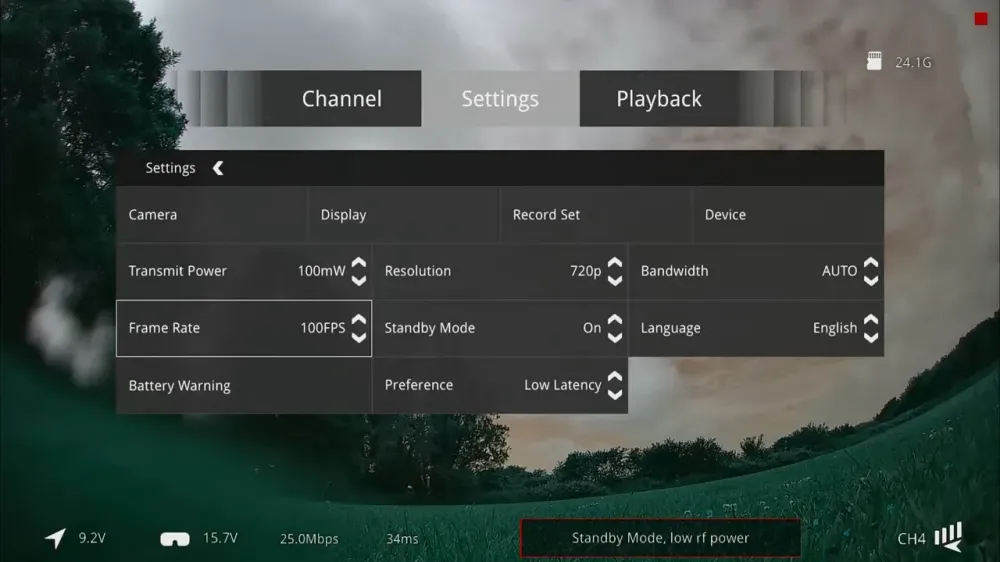
- 100fps mode is where Ascent starts to make sense. In testing, it felt dramatically smoother than the old 60fps behaviour.
- There is still a bug. In 720p at 100fps, flipping the camera image 180 degrees caused bizarre colour output.
- Range and breakup look usable. The signal degrades into blocky digital mush, but it is fairly predictable and cleans up quickly when link quality returns.
- Best for: pilots wanting cheap digital FPV on small quads, especially where absolute lowest latency is not the deciding factor.
- Avoid if: latency is the main priority, or if the wider camera and VTX ecosystem matters more than price.
Why was Caddx Ascent criticised in the first place?
Because cheap on its own is not a feature, it is a trap if the system goes nowhere. Ian's original complaints were not subtle, and they were fair.
The first issue was ecosystem risk. Ascent arrived as a low cost system, but with very little around it beyond the Protos drone and the goggles. That made it feel like a dead end, and dead ends are rarely a bargain.
The second issue was worse. The video link had nasty image stutter, even when RF behaviour looked decent. A digital FPV system can survive average image quality. It struggles to survive a feed that feels jittery and unsettled.
The third problem was image quality from the camera. The picture looked muddy, lacked clarity, and at times showed odd artefacts around the edges. None of that inspires confidence when a tree branch is keen to discuss your flying choices in person.
So the early verdict was simple. Ascent was interesting, but not ready.
What changed in the new Caddx Ascent firmware?
Caddx has been steadily patching the system, and the public firmware releases show a clear pattern. They were not just fixing cosmetic nonsense, they were working on pairing, RF behaviour, frame handling, and general stability.
Three public versions were highlighted:
- 16.5.3, released in January
- 16.5.7
- 17.5.8, the current version in the test
The earlier release included calibration changes, pairing tweaks, screen fixes, LED and buzzer fixes, and other housekeeping. Nothing glamorous, but groundwork matters.
The next release improved pairing logic, fixed odd temperature reporting, sorted RF power values on the ground unit, and introduced the higher frame rate mode. That was the first sign Caddx understood what the real complaint was.
The latest firmware added VRX UART support, support for new flash types, frequency hopping changes, a revised wireless standard, throughput optimisation, fixed wing modes, and frame switching improvements.
That last part matters. When a company specifically tweaks frame changing and mode switching after complaints about stutter, it is not exactly subtle what they were trying to fix.
How do you update Caddx Ascent firmware?
Updating Ascent is fairly straightforward, although Caddx has managed to give different bits of the system different update methods, because consistency would apparently have been too relaxing.
How to update the VRX module
The VRX updates over USB using the port on the bottom. Caddx supplies a firmware package that includes the firmware files and the Caddx Protos tool for PC and Mac.
The process is:
- Connect the VRX by USB
- Open the Caddx tool
- Let the software detect the module
- Select the correct firmware file
- Run the upgrade
For the VRX, the file to look for is the one labelled Ascend_G_GND, meaning the ground unit firmware.
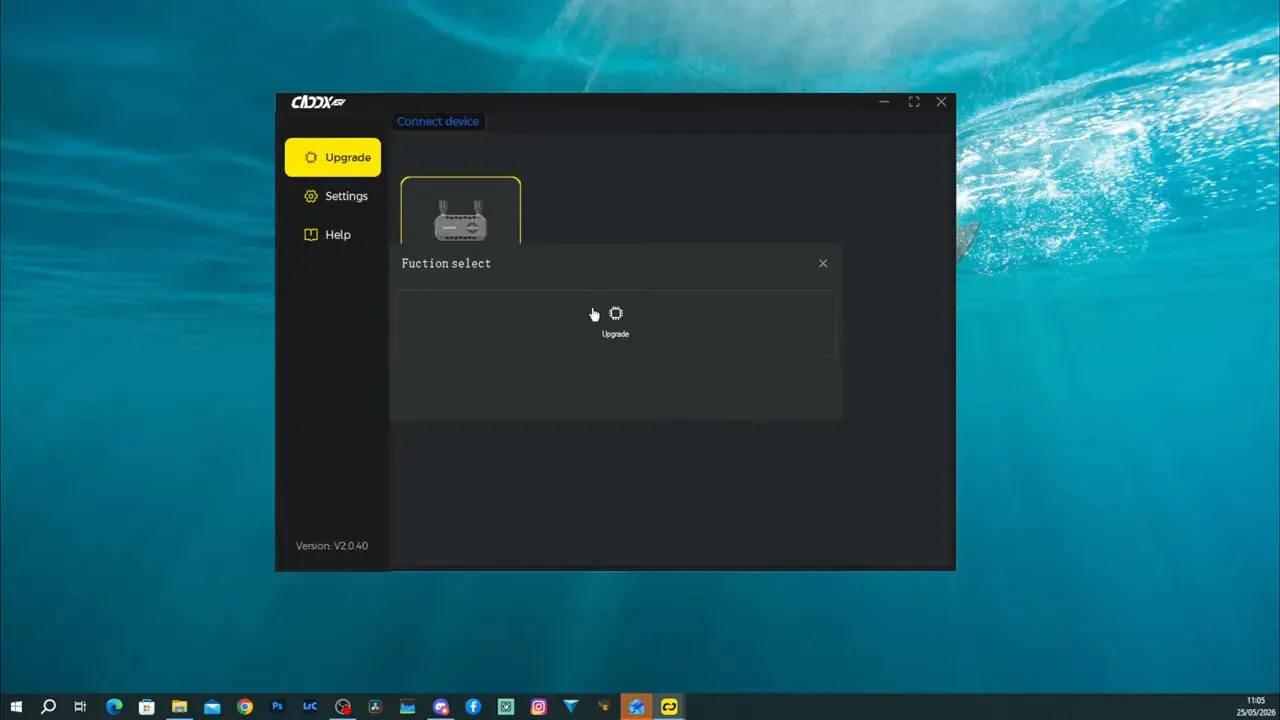
The tool also shows the currently installed firmware version, which is useful if the file naming leaves any room for second guessing.
How to update the Ascent goggles
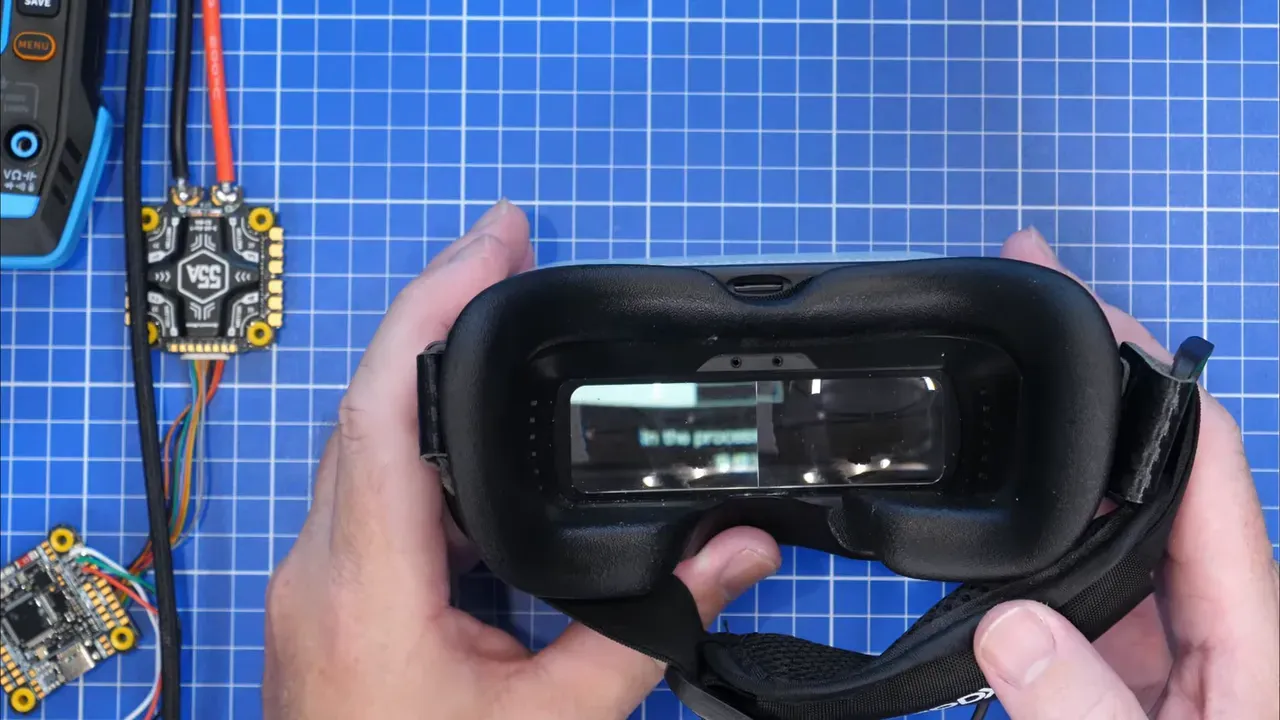
The goggles update from an SD card, not over USB. Copy the correct goggles firmware file to the root of the card, insert it, power the goggles, then hold the bind button for about 10 seconds.
The goggles reboot into upgrade mode, show an on screen progress bar, and finish the update from there. It is similar to the process used on Avatar HD goggles.
How to update the VTX in the Protos or a custom build
The Protos drone has a USB port onboard. One detail matters here, the LED button must be in the correct mode, shown as orange. If it is green, press it to switch over before trying to update.
For the Ascend Lite VTX in a custom quad, Caddx provides a special USB cable that plugs into the dedicated port on the VTX. Connect that cable to a PC, open the tool, then select the Sky firmware file and upgrade as normal.
Practical takeaway, double check the firmware file name before clicking anything. Caddx has several files in the package, and flashing the wrong target is an avoidable way to waste an afternoon.
Does the new Caddx Ascent firmware actually fix the stutter?
Yes, mostly, and that is the headline. In 60fps mode, the system still showed some stutter during yaw, but it was much better than it had been at launch.
That is not the same as perfect. There was still a bit of image jitter in standard mode, especially during sharper movement. But it was no longer the horrible, distracting mess that defined the early system.
Once testing moved to 100fps mode, the tone changed quite a bit. That was the first point where Ascent started to feel normal rather than like a budget experiment held together by optimism.
Ian described the difference as dramatic, and the important bit is this, the stutter stopped being the main issue. There may have been the occasional tiny twitch, but not enough to dominate the flying experience.
So what? It means Ascent has crossed an important line. Instead of being interesting but compromised, it is now usable enough to compare properly with other digital systems.
What is Caddx Ascent image breakup like in real use?
It behaves like a digital link that degrades in a fairly predictable way. When signal quality drops, the image becomes blocky, smeared, and jittery, especially behind trees or off axis from the antennas.
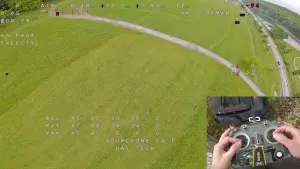
In the field, the system showed the expected digital breakup when flying behind cover. The image could turn into a square mess, with some obvious smearing and a little delay before snapping back to normal. Once the quad returned to clear line of sight, the picture cleaned up quite quickly.
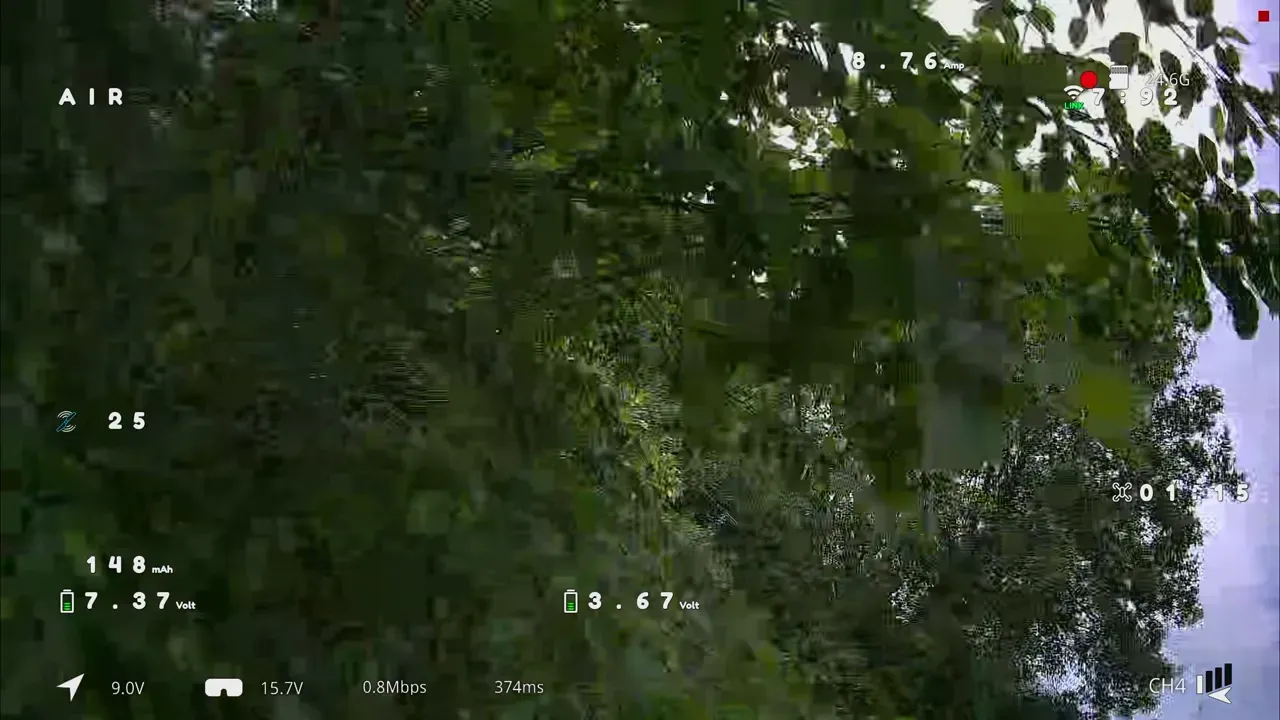
That behaviour matters more than brochure claims. A predictable failure mode is easier to manage than random nonsense. The system did not collapse into chaos without warning, and that makes it easier to trust.
It is still lower power than the bigger digital systems, at least in the tested Lite configuration. So nobody should pretend it is suddenly replacing every premium link on the market. But the breakup was controllable rather than alarming.
Practical takeaway, Ascent now looks viable for everyday use, but the Lite VTX is still not the right benchmark for long range bragging rights.
What happened to the weird colours in 100fps mode?
A bug happened, because of course it did. In 720p at 100fps, the image went into a strange, heavily distorted colour state that looked thoroughly wrong.
At first this looked like a compatibility issue with HDZero goggles and the Ascent VRX module. That would have been irritating, but at least straightforward. Bench testing later showed the same colour problem in Ascent's own recording, which ruled out the goggles as the culprit.
The actual trigger turned out to be very specific:
- 720p
- 100fps
- camera image flipped 180 degrees
With the camera in normal orientation, the image was fine. With the flip enabled, colours went wrong. That bug was reported back to Caddx, and rotating the camera physically fixed the issue for the test.
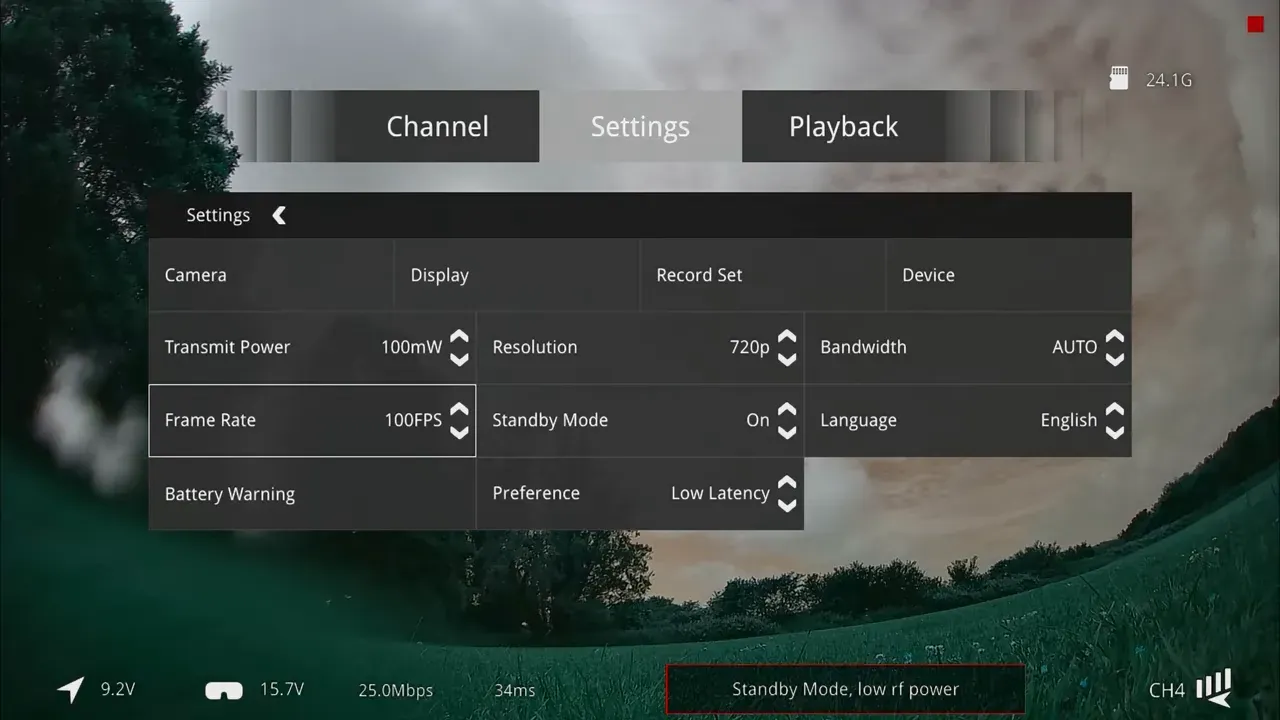
This is exactly the kind of transcript-specific gremlin that generic product pages never mention. It also matters, because upside down camera mounting is not exactly rare in tiny builds.
Takeaway, if Ascent 100fps mode looks like the robots have taken over, check whether the camera is set to flipped orientation.
How does Caddx Ascent compare with Avatar HD now?
Avatar HD is still the better overall system. Ascent has improved a lot, but it has not overtaken Avatar in latency, ecosystem depth, or premium features.
That does not mean Ascent is irrelevant. It means it has moved into a different lane. It now looks like a credible cheap digital option rather than something to avoid on principle.
Latency is the main caveat. Even with the new low latency mode and firmware improvements, testing showed Ascent still lagging behind Avatar HD. Ian referenced latency chart results showing Ascent better than before, but not yet at Avatar's level.
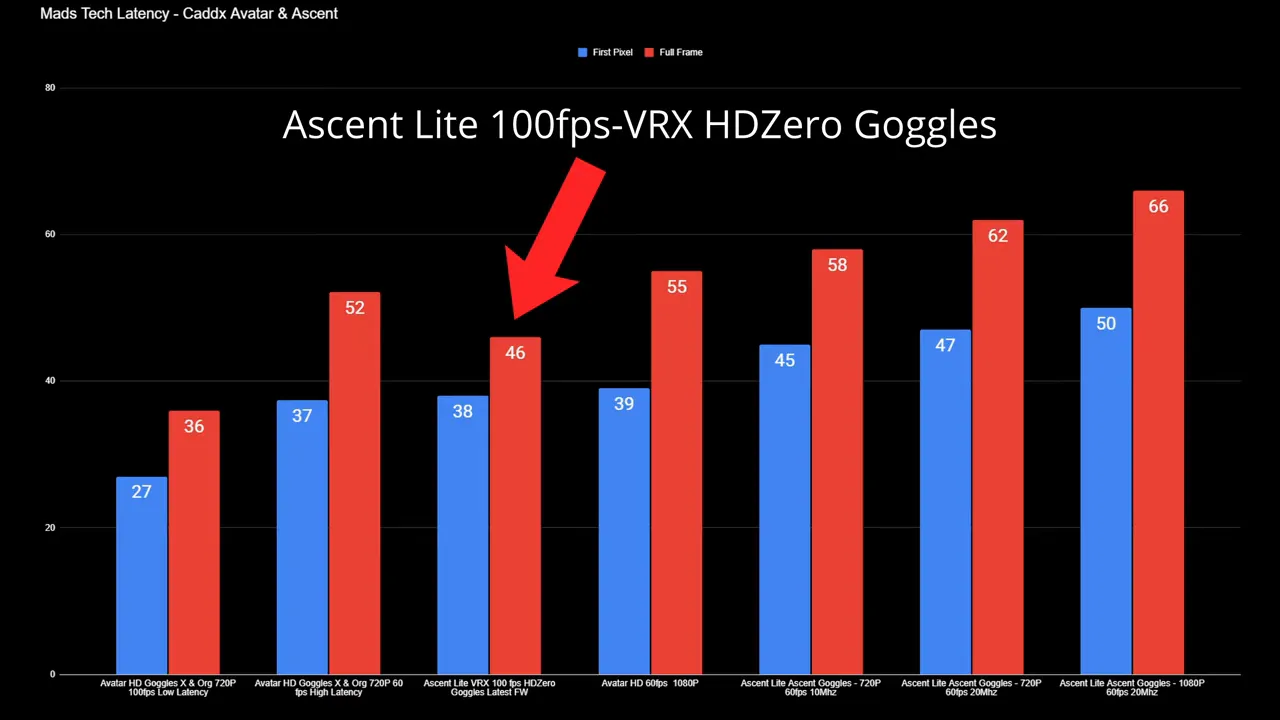
There is also the ecosystem gap. Avatar still offers broader compatibility, more cameras, and more mature hardware choices. Ascent is catching up, but it is not there yet.
So the answer is fairly blunt:
- If the budget allows and performance matters most, Avatar HD remains the safer pick.
- If the goal is cheap digital FPV that no longer feels broken, Ascent now deserves consideration.
Is Caddx Ascent now worth buying?
Yes, with conditions. It is now reasonable to recommend Ascent to people who want an affordable digital system and understand what they are trading for the lower price.
The biggest change is that the original objections are mostly gone. The stutter, which was the worst flaw by far, has been tamed to the point where 100fps mode feels normal. The camera image also appears cleaner than before, even if it is still not perfect.
The ecosystem problem is not fully solved, but it is no longer hypothetical. Caddx now has the VRX, more goggles options in development, and more VTX options coming, including full size 2W and 4W units, plus a 500mW option reportedly in the pipeline.
That matters because low cost now has a path forward. It no longer looks like buying into an abandoned branch line that ends in a hedge.
Ian's position landed here: Ascent is not a replacement for Avatar, and certainly not for DJI O3 or O4 class performance. But it may be exactly the kind of digital system that makes analogue harder to justify on tiny quads and less latency sensitive builds.
That is actually a sensible niche. Sub 2.5 inch builds, smaller quads, casual freestyle, and general cheap digital use all fit that brief rather well.
Which pilots should actually consider Caddx Ascent?
Pilots building small, low cost digital quads should consider it first. It makes the most sense where price matters, weight matters, and absolute minimum latency does not.
The system now looks especially interesting for:
- small quads under roughly 2.5 inches
- budget digital conversions
- pilots moving away from analogue without paying Avatar or DJI money
- general flying where predictable breakup matters more than absolute image quality
It makes less sense for racers, latency sensitive pilots, or anyone wanting the broadest ecosystem today. Those buyers still have better options.
As a market position, Ascent finally looks coherent. Not premium, not best in class, but cheap digital that is no longer a complete disaster. In FPV, that is genuine progress.
## FAQ
Is Caddx Ascent better in 100fps than 60fps?
Yes. The 100fps mode was the point where the system started to feel properly usable. Standard 60fps mode improved, but still showed some visible stutter during yaw.
Does Caddx Ascent still stutter after the firmware update?
A little in 60fps mode, but the original severe stutter problem appears largely fixed. In 100fps mode, it was described as smooth enough to accept for normal flying.
Is Caddx Ascent low latency enough for racing?
Not based on the results discussed here. The latency improved, but it still was not as low as Avatar HD. If latency is the priority, Ascent is not the first recommendation.
Why does Caddx Ascent show strange colours at 100fps?
In the tested setup, the issue appeared when running 720p at 100fps with the camera image flipped 180 degrees. Returning the camera to normal orientation removed the problem.
Can the Caddx Ascent goggles be updated by USB?
No. The goggles update from a firmware file placed on an SD card. After booting, holding the bind button for about 10 seconds starts the upgrade process.
Is Caddx Ascent a dead end ecosystem?
It looked that way at launch, but not anymore. New VRX modules, new goggles, and higher power VTX options were all mentioned as part of the growing ecosystem.
Is Caddx Ascent better than Avatar HD?
No, not overall. Avatar HD still has better latency and a wider, more mature ecosystem. Ascent now competes as a cheaper, usable alternative rather than a superior one.
This article was based from the video Is Caddx Ascent Cheap Digital FPV Now Worth It ? - New Firmware Changes Everything!