Updated July 2026: we rebuilt this guide from the original 2018 article using current simulator listings, official feature pages and current platform requirements.
Quick answer
For most new FPV pilots, Liftoff is the best first simulator because it combines a structured learning path, sensible controller setup and enough racing and freestyle content to remain useful after the basics. Choose VelociDrone instead if racing or a modest computer is your priority. Pick Uncrashed for freestyle, TRYP FPV for cinematic environments, or FPV.SkyDive if you need a free starting point.
That is the short answer. The useful answer is that the “best” simulator depends less on which one wins a physics argument and more on whether it runs smoothly, recognises your radio and gives you a reason to practise regularly.
Why our old recommendation needed replacing
The original version of this article was written in 2018. It recommended a market built around Liftoff, VelociDrone, FPV Air 2 and the DRL Simulator. Eight years later, that shortlist is misleading.
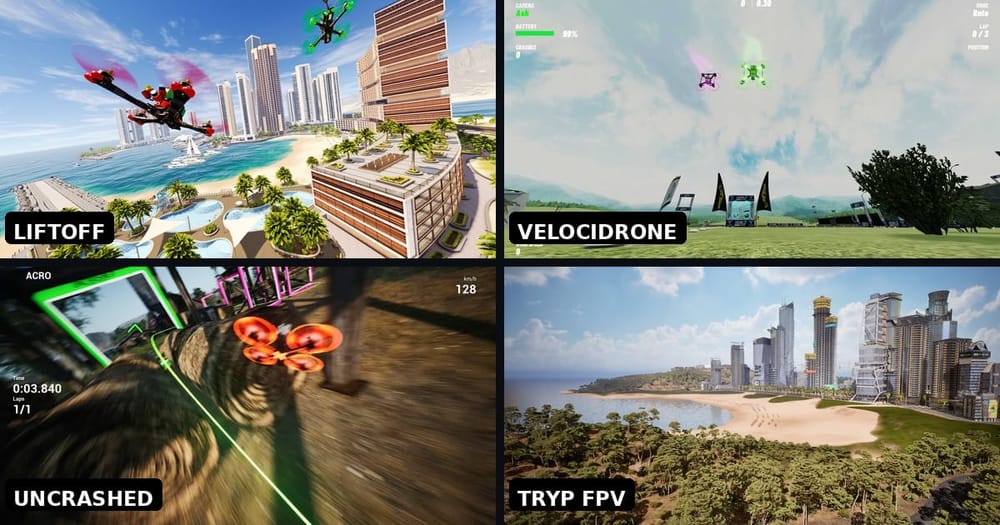
Uncrashed and TRYP FPV now provide large, detailed environments aimed at freestyle and cinematic flying. FPV.SkyDive offers a credible free route across desktop and mobile. Liftoff has developed into a mature all-round package, while VelociDrone has built an enormous community racing library. There is even a separate Liftoff simulator for micro drones.
Some old names are still listed for sale, but availability is not the same as a recommendation. The DRL Simulator, for example, has had reported server-connection failures that can prevent it being used at all. Tiny Whoop GO now promotes a trial rather than the simple free option it once was. We would rather give you six clear choices than preserve a museum of every simulator ever released.
Our 2026 FPV simulator shortlist
| Goal and pick | Why | The catch |
|---|---|---|
| First Acro flights: Liftoff | Structured training, broad content and a mature community | Current desktop requirements are higher than many beginners expect |
| Racing: VelociDrone | Strong flight model, huge track library and Nemesis racing | Functional presentation rather than the prettiest scenery |
| Freestyle: Uncrashed | Large maps, multiplayer, level editor and Steam Workshop | Less hand-holding for a completely new pilot |
| Cinematic: TRYP FPV | Detailed environments, scenario flying and strong visual immersion | Still labelled Early Access and much happier on a capable computer |
| Free start: FPV.SkyDive | Free base simulator on desktop and mobile | Extra maps and lessons sit behind optional DLC |
| Tiny Whoops: Liftoff: Micro Drones | Built specifically around micros and indoor spaces | It is a separate simulator, not an expansion for standard Liftoff |
Best overall for a new pilot: Liftoff
If somebody asks us for one simulator and gives us no other information, Liftoff is still the safest recommendation. It supports Windows, macOS and Linux, works with radio controllers, has single-player and multiplayer flying, and includes an extensive library of community-built tracks and drones.
The important part for a beginner is not the parts system or the number of maps. It is the structured route into flying. A new pilot needs somewhere open, an understandable calibration process and exercises that progress beyond repeatedly crashing into the nearest tree. Liftoff provides that path and remains interesting when you move into racing or freestyle.
There is one new caveat. The current Steam listing asks for a dedicated GPU at the level of a GeForce RTX 2060 or AMD RX Vega 56 and does not support Intel integrated graphics. Those requirements are far heavier than the Liftoff many of us remember from older laptops. Check your machine before assuming the familiar name is the easy option.
Our verdict: start here if your computer meets the requirements and you want one simulator that can grow with you.
Best for racing and modest computers: VelociDrone
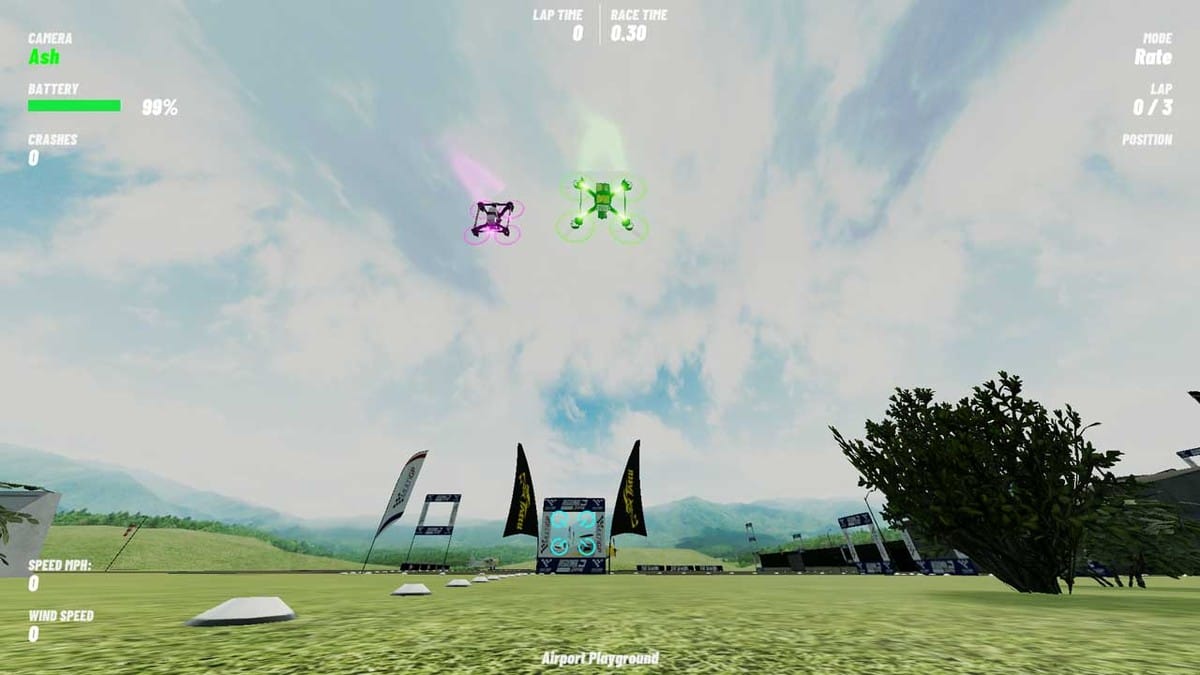
VelociDrone is the simulator we would choose for deliberate racing practice. Its official library contains more than one thousand tracks in the base licence, with over forty thousand community tracks available through its online database. Nemesis mode lets you race recorded laps from other pilots, so useful competition does not depend on finding a live lobby.
The simulator models the complete power system rather than treating the drone as a generic flying camera. VelociDrone describes simulation of battery voltage and current, ESC behaviour, motor resistance and torque, propeller aerodynamics, flight-controller code and frame drag. No desktop simulator reproduces wind, video breakup or the nerves of flying your own carbon, but this level of modelling gives racing inputs a consistent consequence.
Its lower minimum specification is just as important. VelociDrone lists a 1.7GHz processor, Intel HD 530 graphics and 4GB of memory as its baseline. If Liftoff or TRYP stutters on your laptop, VelociDrone at a stable frame rate will teach you more than a prettier simulator dropping frames.
Our verdict: buy it for racing, lap consistency or an older computer. Freestyle pilots can use it, but that is not where it has the clearest advantage.
Best for freestyle: Uncrashed
Uncrashed is the easiest recommendation for a pilot who wants large spaces, gaps, dives and flowing freestyle lines. Its current Steam listing includes online multiplayer, leaderboards, a level editor and Steam Workshop support. Drone settings use recognisable values, while advanced controls expose gravity, air friction and propeller efficiency.
That flexibility is useful after you know what your real quad feels like. It is less helpful on day one, when a new pilot can spend an evening changing virtual physics without knowing what problem is being solved. Start with defaults, set a sensible camera angle and learn to fly a clean circuit before touching advanced sliders.
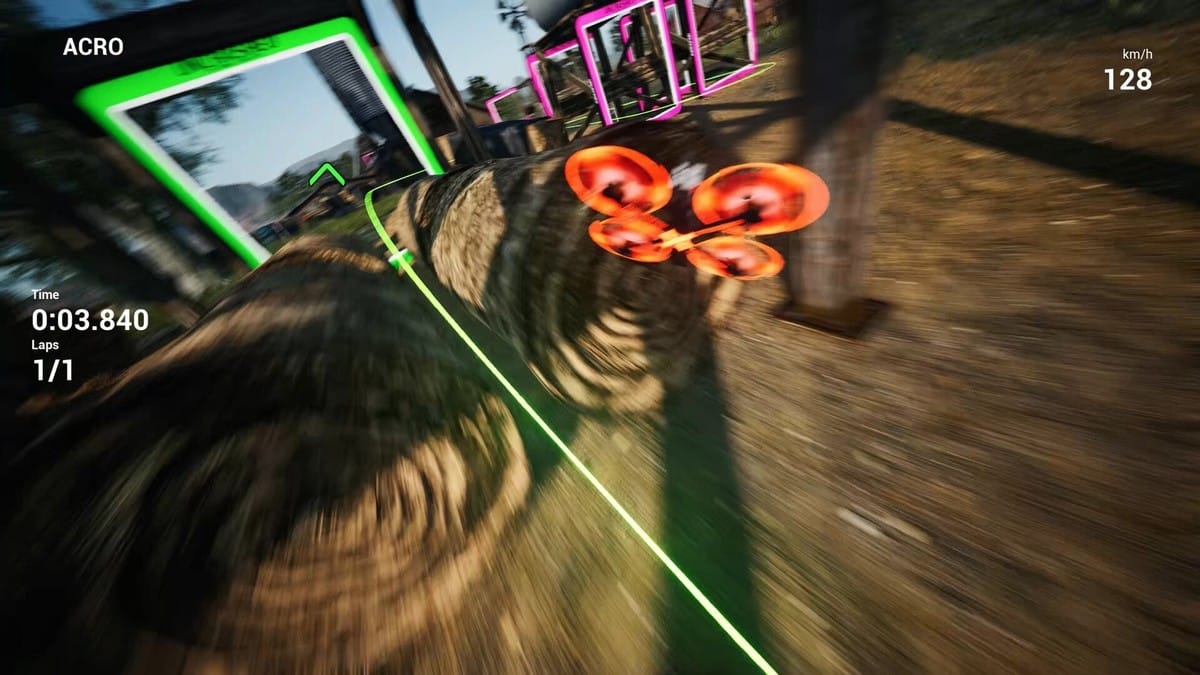
Our verdict: choose Uncrashed when exploring a map and linking freestyle lines will keep you practising longer than running laps.
Best for cinematic practice: TRYP FPV
TRYP FPV is the most interesting option for pilots who want to practise following moving subjects and planning cinematic routes. Its Scenario mode, broad environments and moving targets create exercises that a static race circuit cannot. You can work on constant speed, subject position and deciding where a line begins and ends without putting a camera near a tree.
The trade-off is maturity and hardware demand. TRYP remains labelled Early Access on Steam, and its listed features are still centred on single-player and asynchronous competition rather than the complete multiplayer and editor package available in Uncrashed. The recommended Windows specification calls for a modern dedicated GPU, 16GB of memory and a capable quad-core processor.
Our verdict: excellent for visual immersion and cinematic line practice, but not our first purchase for a beginner with a basic laptop.
Best free option: FPV.SkyDive
FPV.SkyDive is the correct place to start if you are not yet sure whether manual FPV is for you. The base simulator is free and officially supports Windows, macOS, Linux and Steam Deck. Orqa also offers mobile versions for Android and iOS.
The free content is enough to discover whether Acro Mode makes your brain happy or angry. Extra maps, tracks, lessons and micro-drone content are sold separately, so “free” does not mean the entire catalogue is unlocked. That is fair, but worth knowing before treating it as a permanent no-cost replacement for the paid simulators.
Our verdict: use FPV.SkyDive to test your radio, learn the control concept and decide whether to continue. If you stick with FPV, move to the simulator that best matches your flying goal.
Best for Tiny Whoops: Liftoff: Micro Drones
A five-inch quad and a 65mm whoop do not carry momentum or recover from turns in the same way. If your first real aircraft will be a tiny whoop, a micro-focused simulator makes more sense than forcing a five-inch setup to behave like one.
Liftoff: Micro Drones became a full release in August 2025 and supports Windows, macOS and Linux. Its indoor spaces make proximity, doorway lines and low-speed control the point rather than an afterthought.
Our verdict: the specialist choice for whoop pilots. We no longer recommend Tiny Whoop GO as the automatic free answer because its current offering is built around a trial and paid access.
Use a real radio, not a keyboard
A simulator saves money because it builds muscle memory before your first crash. That only works if the controls resemble the radio you will use outside. A keyboard has no proportional stick travel. A gamepad can prove that the software runs, but its short, spring-centred sticks teach a different throttle habit.
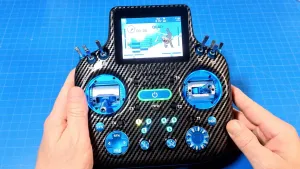
Modern EdgeTX radios normally connect as a USB joystick. Use a data-capable USB cable, select USB Joystick on the radio, then calibrate throttle, yaw, pitch and roll inside the simulator. Create a dedicated simulator model and disable the internal and external RF modules so the transmitter is not broadcasting on your desk.
You do not need an expensive radio merely to use a simulator. If you already intend to fly FPV, however, buying your real transmitter first avoids paying for a disposable game controller. The RadioMaster Boxer Max ELRS is one example of an EdgeTX radio that can serve both jobs, although its premium gimbals are not required for beginner practice.
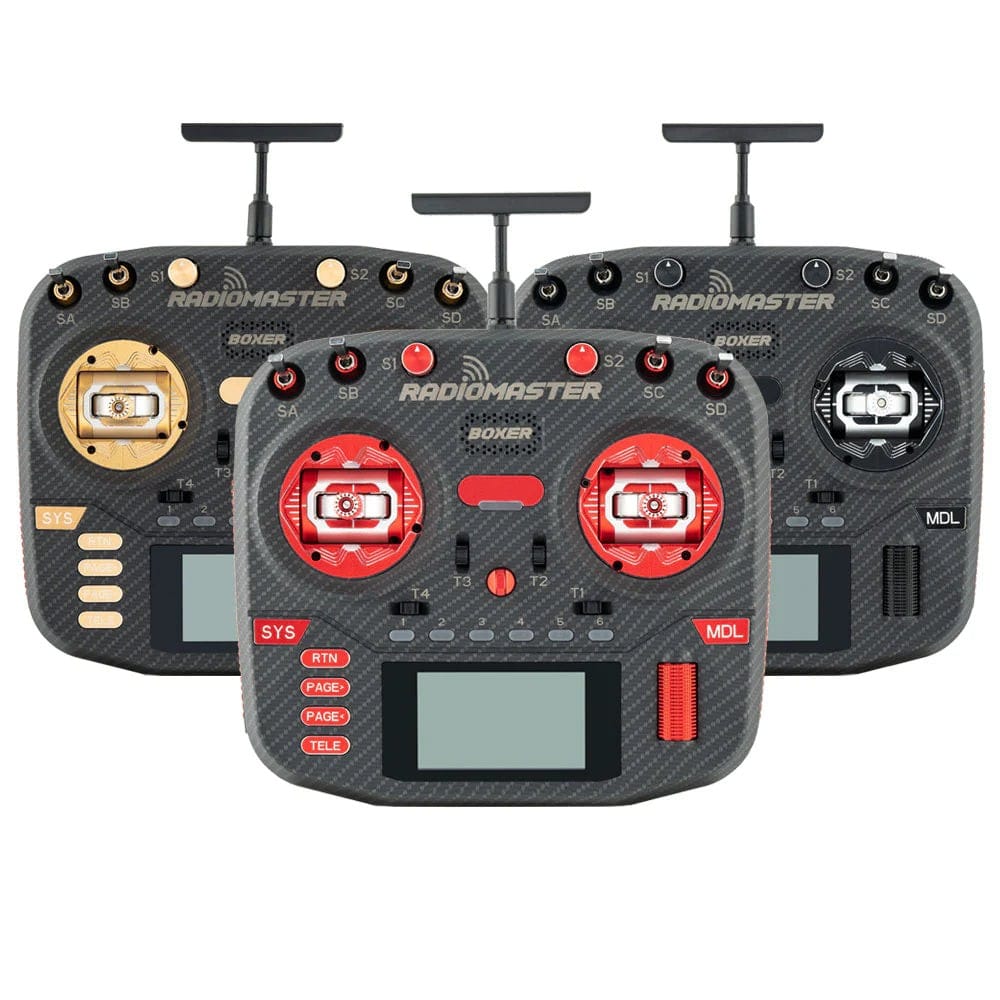
If the computer does not detect your transmitter, work through our radio-to-simulator connection guide and the official EdgeTX USB Joystick documentation before buying a dongle. The most common culprit is still a charge-only USB cable.
Physics matter less than stable performance
Pilots can argue for hours about which simulator feels most real. That argument matters once you can distinguish propwash, momentum and throttle authority. A complete beginner is learning a simpler set of truths: throttle does not hold altitude for you, a quad keeps rotating until you correct it, and a turn needs coordinated yaw and roll.
A simulator that runs at a consistent frame rate and responds immediately will teach those fundamentals. A visually impressive simulator that stutters creates delayed corrections and false timing. Reduce shadows, vegetation and visual effects until the frame rate meets or exceeds the refresh rate of your display.
When you eventually own a quad, copy your real rates and camera angle into the simulator where possible. Do not chase somebody else's “perfect physics” preset before you have a real reference.
A better ten-hour beginner plan
Ten focused hours are more useful than fifty hours of resetting after random full-throttle dives. We would structure the first sessions like this:
- Hours 1–2: control without panic. Use an open map. Practise arming, gentle take-offs, straight lines, broad turns and disarming immediately after a crash.
- Hours 3–4: repeatable circuits. Fly figure-eights in both directions. Keep roughly the same height and avoid using reset unless the aircraft is genuinely stuck.
- Hours 5–6: gaps and approaches. Choose large gates or obvious openings. Aim at the exit of the gap rather than staring at its edge.
- Hours 7–8: recovery. Deliberately enter turns too high, too low and with poor alignment, then abandon the line safely. Recovery is more valuable than rescuing every mistake.
- Hours 9–10: one complete line. Plan a short route with a clear start, three or four features and a landing. Repeat it until the successful run feels deliberate rather than lucky.
At that point, move to a durable real aircraft in a legal, open space. The simulator has taught the control language. It has not taught wind, video breakup, battery sag, people, wet grass or how your hands feel when the crash costs actual money.
What we would actually choose
- New pilot with a suitable gaming computer: Liftoff.
- New pilot on a modest laptop: VelociDrone, after checking the current minimum specification.
- Aspiring racer: VelociDrone.
- Freestyle pilot who needs interesting places to fly: Uncrashed.
- Cinematic pilot with a capable computer: TRYP FPV.
- Not ready to spend anything: FPV.SkyDive.
- Tiny Whoop specialist: Liftoff: Micro Drones.
Our strongest advice is not to download all six. Pick one, connect the radio correctly and complete ten disciplined hours. Switching simulators every time the quad feels difficult only resets your adaptation. Consistent practice beats the perfect physics engine.
FAQ
Can I learn FPV with a gamepad?
You can learn the basic relationship between pitch, roll and yaw, but the short spring-centred throttle stick does not build the same muscle memory as an FPV radio. Use a gamepad to test a free simulator, then move to a proper transmitter.
Which FPV simulator is best for Mac?
Liftoff, VelociDrone, Uncrashed, TRYP FPV, FPV.SkyDive and Liftoff: Micro Drones all advertise macOS support. Check the exact CPU, GPU and operating-system requirements before buying, especially on older Intel Macs.
Which simulator is best for a slow computer?
VelociDrone has the lightest published desktop requirements among our main recommendations. FPV.SkyDive is free, so it is also sensible to test before spending money.
Will simulator flying feel exactly like my real quad?
No. Wind, battery sag, video interference, prop damage and nerves change real flying. The simulator's job is to teach control, orientation, timing and recovery well enough that your first real flights are not spent discovering what the sticks do.
How many simulator hours do I need before flying outside?
Ten focused hours is a useful minimum, not a licence. Move outside when you can take off, fly a planned circuit, recover from a poor approach, disarm promptly and land without relying on luck.