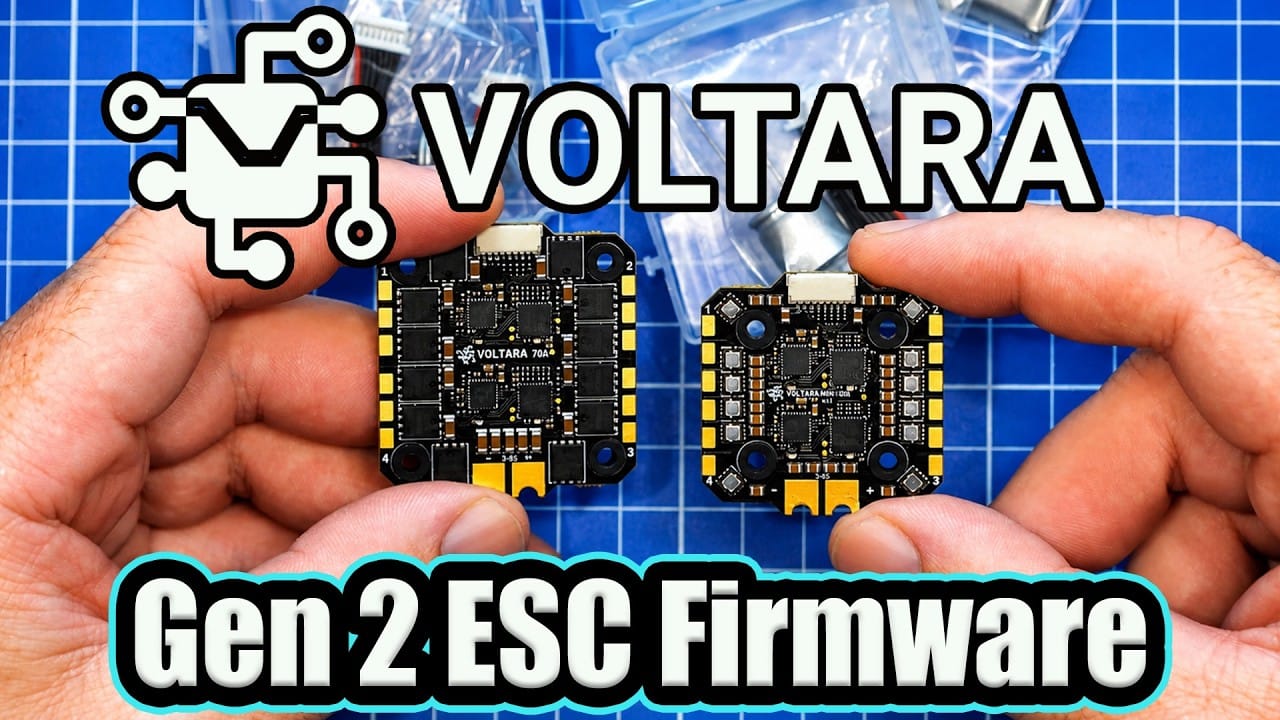
Voltara’s Gen 2 firmware turns an ESC once aimed squarely at KISS Ultra into a far less fussy option for Betaflight and other flight controllers. It also adds meaningful configuration and protection features, because a motor screw meeting a winding should not have to become an expensive learning event.
TLDR: What you actually need to know
- Compatibility: Gen 2 adds broader flight controller support, including Betaflight and iNav, rather than KISS Ultra alone.
- Protocols: It supports DShot 150 to 2400, bidirectional DShot with EDT to 600, and analogue PWM.
- Protection: New safeguards include soft current limiting, thermal protection, stalled rotor detection, FET short detection, and motor winding short detection.
- Upgrade method: Legacy ESCs need a two-stage migration through the Voltara web configurator and Betaflight pass-through.
- Best for: Pilots with Voltara 70A or Mini 50A ESCs who want Betaflight support and more ESC-level adjustment.
- Avoid if: The flight controller wiring pinout has not been checked, or the upgrade is attempted on an unsupported Betaflight version.
What changed with Voltara ESC Gen 2 firmware?
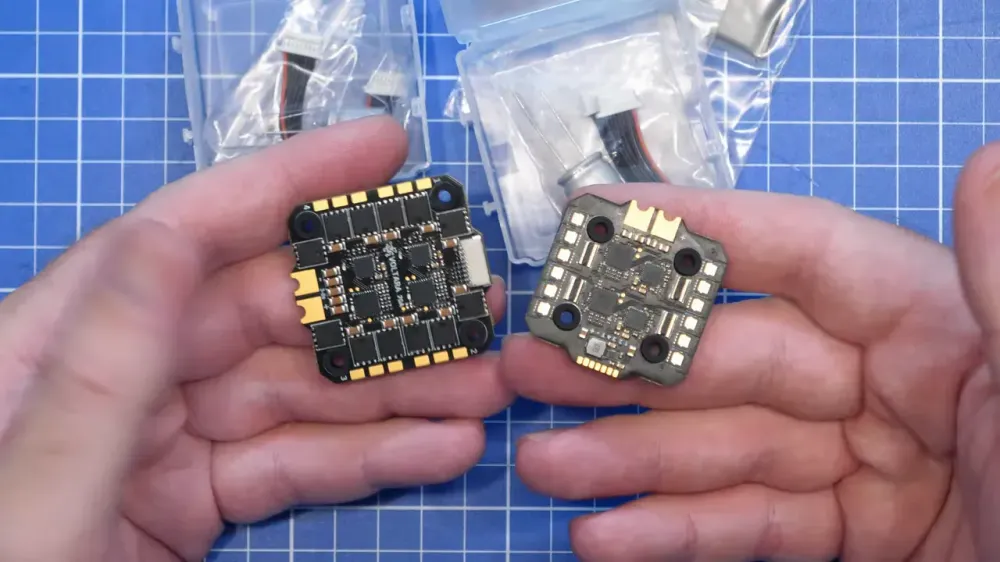
Gen 2 makes Voltara ESCs usable with a much wider range of flight controllers and exposes proper configuration through a web tool. The hardware has not changed. The Voltara 70A and Mini 50A remain the same boards, but the firmware is doing considerably more of the heavy lifting.
Originally, these ESCs were built around KISS Ultra. With Gen 2, they can be used with Betaflight and other supported flight controller systems. Firmware updates and settings now work through Betaflight pass-through, much like the familiar AM32 or BLHeli workflow.
The practical upgrade is not merely a logo swap. Gen 2 brings higher maximum ERPM, improved ESC responsiveness, bidirectional motor mode for 3D operation, telemetry options, and a more configurable setup.
That wider compatibility matters in a post-BLHeli_32 world, where ESC firmware choices are no longer something builders can ignore until the configurator starts complaining. For related background, see our report on the ESC firmware fiasco and open-source alternatives.
Which Voltara ESC should a quad use?
The 70A is the full-size option for five-inch-class builds, while the Mini 50A suits smaller stacks using a 25.5 mm by 25.5 mm footprint. Both models support up to 8S input voltage.
- Voltara 70A: Full-size ESC, rated for 70A, aimed at five-inch applications.
- Voltara Mini 50A: Compact 25.5 mm by 25.5 mm ESC, rated for 50A, aimed at smaller builds.
- Current sensing: Both use individual shunt resistors to monitor current on each ESC output.
- Firmware: Both are now available with Gen 2 firmware, identified on newer stock by the Gen 2 label.
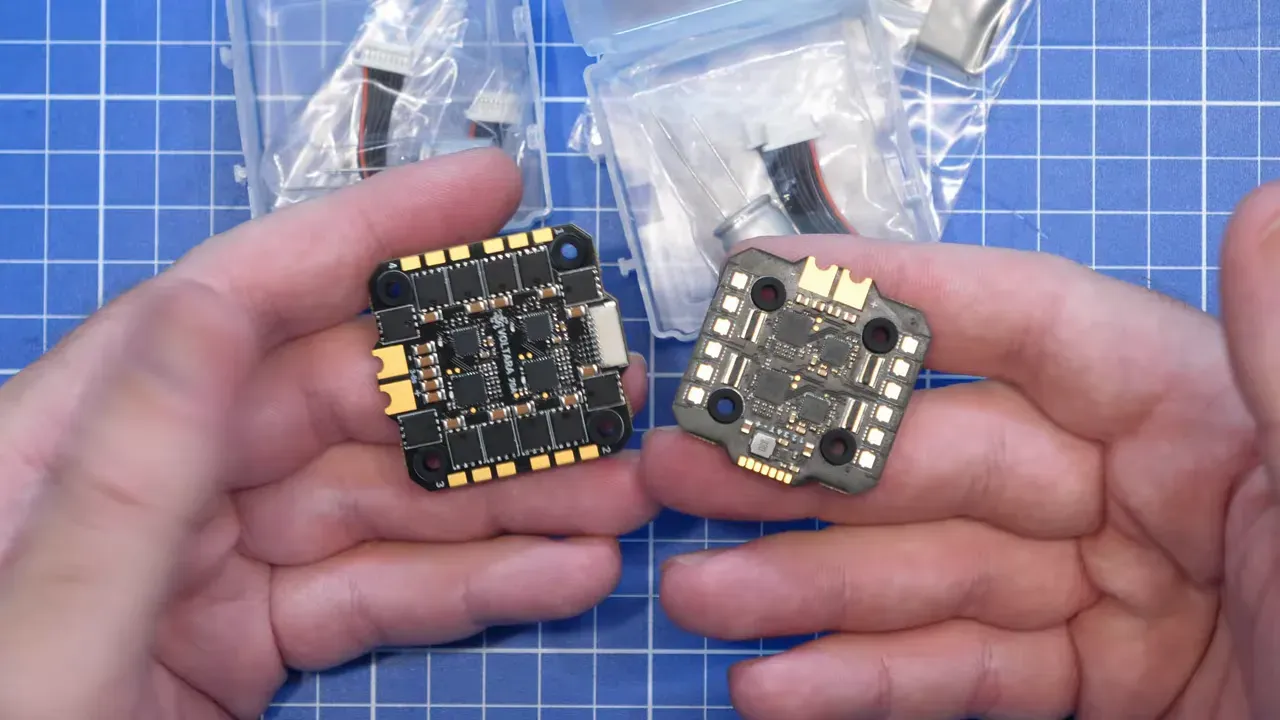
The individual current shunts are not exciting in the way a new flight controller is exciting. They are, however, a useful bit of hardware intent. Each motor output can be monitored individually rather than treating the whole board as one large and rather optimistic lump.
Voltara’s software is proprietary and closed source. That will matter to builders who only buy fully open firmware. The stated appeal here is the combination of dedicated hardware protection and a firmware update path that no longer locks the ESC into one flight controller ecosystem.
What Voltara ESC Gen 2 protocols and settings are available?
Gen 2 supports the usual digital motor-control options, plus PWM, selectable PWM frequency, telemetry, and manual motor settings. It is no longer a case of fitting the board and accepting whatever defaults happen to emerge from the silicon.
The supported input protocols are:
- DShot 150, 300, 600, 1200 and 2400
- Bidirectional DShot with EDT up to 600
- Analogue PWM
PWM frequency can be set to 24, 32, 48, or 64 kHz. The configurator also provides individual motor direction controls, timing settings, startup power, input selection, throttle calibration for PWM, and beeper controls.
Motor options include bidirectional operation, 3D mode, slow start, and brake on stop. Manual timing adjustment is available too, which is useful for people who know why they need it and hazardous for everyone pressing controls because the menu exists.
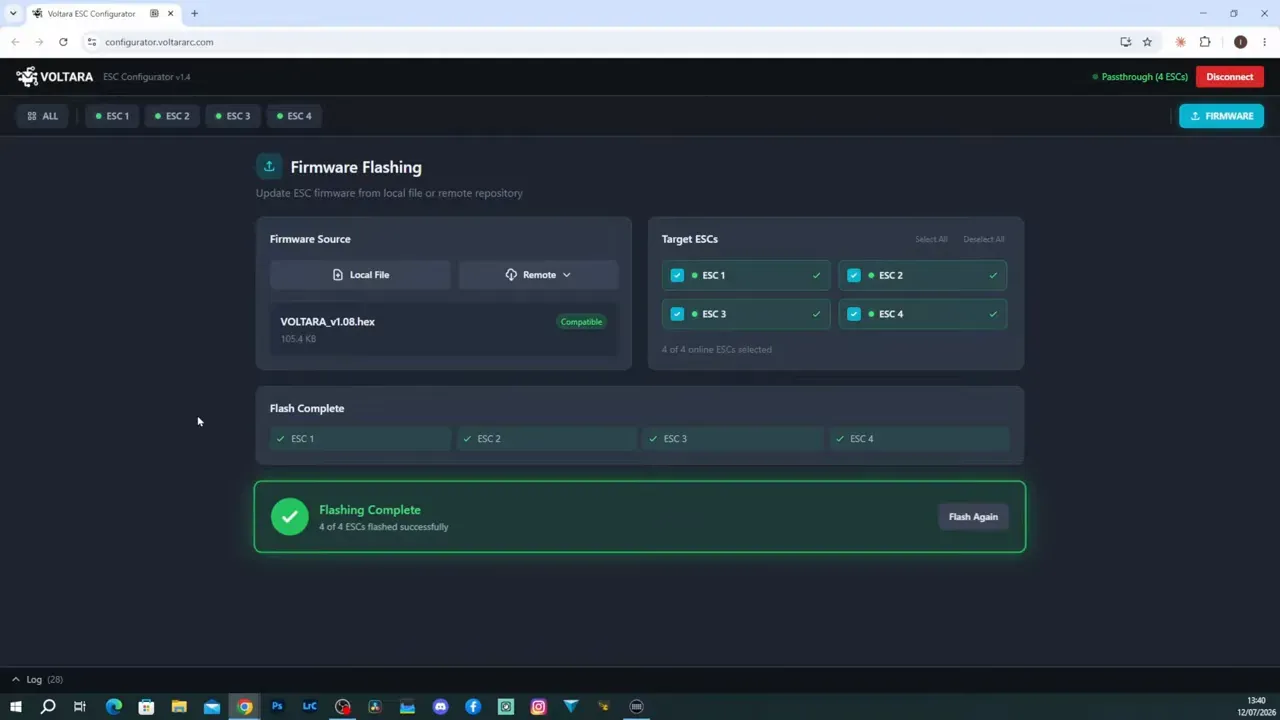
The broad set of inputs and controls makes the ESC a more credible fit for Betaflight builds. More options are not automatically better, but being able to choose the correct protocol and verify motor settings is better than silently hoping.
How does Voltara ESC Gen 2 help prevent smoke after a crash?
The standout Gen 2 additions are its fault protections, particularly motor winding short detection. No ESC can repeal physics, but catching a fault before a FET becomes a tiny heating element is a decent objective.
The firmware adds the following protections:
- Soft current limiting
- Thermal protection
- Stalled rotor protection
- Shorted FET detection
- Motor winding short detection
- Driver fault protection
Winding short detection addresses a painfully common build fault. A motor screw that is too long can reach the stator winding. If the problem is not noticed before power-up, the ESC may be asked to conduct an impromptu smoke test.
The new firmware is intended to identify that winding short before the ESC fails. The faulty screw still needs removing and replacing with the correct length. Firmware is not a substitute for basic mechanical clearance, sadly.
This emphasis on fault handling is the useful differentiator. ESC performance during normal flight matters, but the board’s response to a stalled motor, a crash, or a wiring mistake matters just as much. For more ESC-focused build and troubleshooting material, browse our ESC articles.
How do you upgrade a legacy Voltara ESC to Gen 2 firmware?
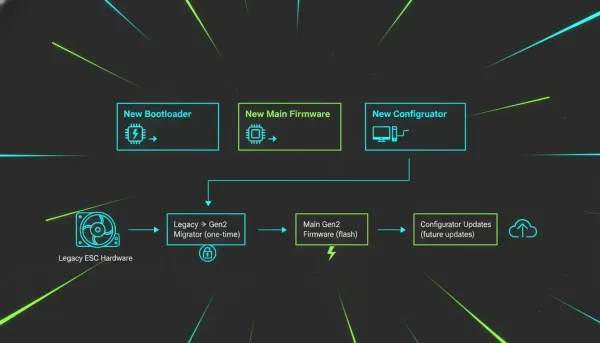
Legacy Voltara ESCs need a two-stage flash: first the Legacy to Gen 2 Migrator, then the current Gen 2 firmware. Newer ESCs marked Gen 2 can use pass-through and the configurator directly.
Before doing anything, connect the ESC to a compatible flight controller and power the ESC from a suitable power source. USB alone is not presented as sufficient for this procedure.
The demonstrated upgrade used a Betaflight flight controller on version 4.5.3. The migration guidance specifies Betaflight 4.5.2, 4.5.3, or 2026.6 and later. Other versions may fail during the upgrade, which is an impressively efficient way to turn a simple job into an evening.
- Wire the ESC to the flight controller and verify the pinout.
- Power the ESC and connect USB to the flight controller.
- Open the Voltara web configurator and select Legacy to Gen 2 Migrator.
- Select the flight controller platform and the correct ESC model.
- Connect and flash the migration firmware.
- Wait for the flashing process to complete.
- Disconnect USB and remove ESC power.
- Power the ESC again, reconnect USB, and allow two to five seconds for migration.
- Reconnect in the configurator, enter pass-through, and open the firmware flash tab.
- Select remote firmware, choose the Gen 2 release, then flash all four ESC channels.
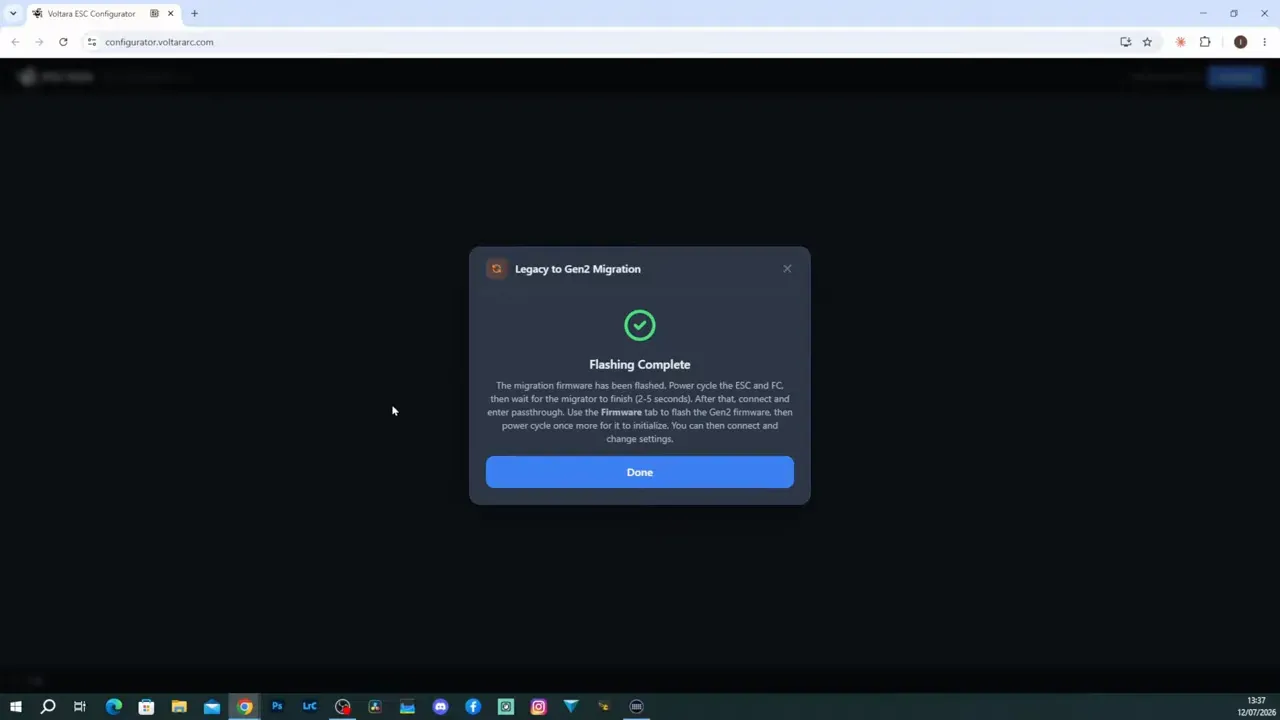
The configurator labels the shown Gen 2 flash as version 1.08. Once the flash has completed and the ESC reconnects, the new configuration options become available.
A migration failure should not be treated as an invitation to randomly retry different firmware combinations. Confirm the controller firmware version, ESC power, cable connection, and wiring before another attempt.
Why can a Voltara ESC Gen 2 update fail?
The likely failure points are unsupported Betaflight firmware, missing ESC power, and an incorrect flight-controller-to-ESC pinout. All three are more mundane than a mysterious firmware curse, which is good news because they can be checked.
Voltara ESCs ship wired with KISS Ultra use in mind. A Betaflight build may need different wiring, so the pinout must be confirmed before applying power. Connector bodies are famously indifferent to whether the signals inside them make sense.

Use a supported Betaflight version for migration, power the ESC properly, and connect the USB cable to the flight controller. The ESC LEDs flash during the shown firmware-writing process, giving a visible indication that the board is active.
After the migration flash, power-cycle both the ESC and flight controller. Skipping the power cycle means the second-stage Gen 2 flash cannot proceed as intended.
For wider Betaflight build and fault-finding references, our Betaflight archive collects related guides.
Is Voltara ESC Gen 2 worth using for Betaflight?
Gen 2 makes Voltara a much stronger proposition for a Betaflight builder than the original KISS Ultra-focused release. The ESC now supports the expected protocol range, pass-through flashing, configurable motor settings, and a serious list of fault protections.
The case is strongest for existing Voltara owners. The hardware stays the same, while the firmware removes the previous ecosystem limitation and adds meaningful controls at no hardware swap cost.
For a new build, the decision depends on whether proprietary firmware is acceptable. If it is, the combination of 8S support, individual current sensing, 70A and 50A options, and protection features makes it a considered choice rather than an oddity from a single-controller ecosystem.
The video does not provide a fresh performance comparison against AM32, BLHeli_32, or other ESC firmware. It does show that the Gen 2 update completed successfully and exposes the promised controls through the web configurator.
FAQ
Can Voltara ESCs run Betaflight after the Gen 2 update?
Yes. Gen 2 expands Voltara compatibility beyond KISS Ultra to include Betaflight and other flight controller systems. Legacy boards need the migration process before they can use the Gen 2 workflow.
Does Voltara ESC Gen 2 support bidirectional DShot?
Yes. The firmware supports bidirectional DShot with EDT up to 600. It also supports DShot 150 through 2400 and analogue PWM input.
What Betaflight version should be used to migrate Voltara ESC firmware?
The demonstrated guidance names Betaflight 4.5.2, 4.5.3, or 2026.6 and later. Other versions may fail during the migration process.
Why will a Voltara ESC Gen 2 update not connect?
First check that the ESC has external power and that USB is connected to the flight controller. Then confirm the ESC connector pinout and use a recommended Betaflight version.
Does Voltara Gen 2 detect a motor winding short?
Yes. Gen 2 adds winding short detection, intended to identify faults such as a motor screw reaching a stator winding. Remove and replace the incorrect screw before further use.
Can the Voltara Mini 50A ESC run 8S?
Yes. The Mini 50A is stated to support up to 8S input voltage. It uses a compact 25.5 mm by 25.5 mm layout for smaller builds.