A quad that merely flies is not the same thing as a quad that feels locked in, keeps its motors sane, and does not turn every propwash event into a minor engineering inquiry. Chris Rosser’s Betaflight 2026.06 course sets out a methodical route from a blank Configurator to a repeatable, data-led tune.
TLDR: What you actually need to know
- What it covers: Betaflight setup, safety configuration, Blackbox logging, filters, PID tuning, rates, and Chirp System ID Auto-Tune.
- Method: The course prioritises Blackbox traces and structured test flights over applying a preset and hoping the quad agrees.
- New feature: Betaflight 2026.06 adds Chirp-based System ID and Auto-Tune, which uses a frequency sweep to measure the quad’s response.
- Best for: New builders who need a safe first setup, and experienced pilots who want to interpret logs rather than outsource every tuning decision.
- Avoid if: A pilot wants a one-click preset with no interest in learning what the aircraft is doing.
- Access: The course is sold as a one-off payment with lifetime access, including later modules and updates.
Intro & Background
Betaflight tuning becomes difficult when the question changes from “does it hover?” to “why does it feel like this?” Propwash, warm motors, a mushy centre stick response, and unfamiliar settings can all arrive together. Naturally, because small flying machines apparently enjoy group projects.
The stated aim is to replace preset roulette with a deliberate workflow. Each configuration choice should have a reason, and each tune change should be tested against real flight data.
Chris Rosser presents the course as the result of more than five years of work on multirotor setup and tuning. It follows the practical order of a build, beginning with an inactive flight controller and ending with a fully configured quad and a dialled-in tune.
The Common Tuning Headaches
Most Betaflight tuning problems begin with incomplete evidence. A quad may show propwash, hot motors, poor stick response, or unexplained noise, but changing several settings at once makes the underlying cause harder to find.
A preset may produce an acceptable first flight, but it cannot account for every frame, motor, propeller, ESC, gyro mounting arrangement, or flying style. That does not make presets useless. It makes them a starting point, not a diagnosis.
The course frames a clean gyro signal as the foundation of a sharp tune. If noise reaches the PID controller unchecked, further PID changes can raise motor temperature while failing to improve control response.
Practical takeaway: Treat hot motors and bad propwash as evidence to investigate, not as an invitation to move random sliders until something becomes louder.
Introducing the Ultimate Betaflight Course
The Betaflight Course for Multicopters, version 2026.06, is a self-directed training programme for setting up and tuning Betaflight quads from scratch. It is designed to explain each setting as it appears, rather than leaving a new builder alone with a configurator full of cheerful ambiguity.
The course spans the full configuration and tuning chain:
- Firmware flashing and initial flight controller setup
- Hardware and port configuration
- Battery and power calibration
- Failsafe, GPS Rescue, radio, modes, motors, ESCs, OSD, and LEDs
- Blackbox logging and trace analysis
- Filter, PID, feedforward, and damping adjustments
- Chirp System ID and Auto-Tune interpretation
- Rates and throttle expo setup
The intention is repeatability. A pilot should finish able to configure and tune a new build using the same reasoning, instead of relying on a remembered collection of settings from a quad built three firmware versions ago.
Bare Configurator to Initial Setup
The initial setup section covers the core settings that must be right before tuning becomes meaningful. This includes flashing firmware, calibrating the accelerometer, setting gyro and PID loop frequencies, correcting board alignment, and assigning ports for attached hardware.
Power and battery calibration are included so the voltage readings used for landing decisions match reality. A low-battery warning is less useful when it is based on creative fiction.
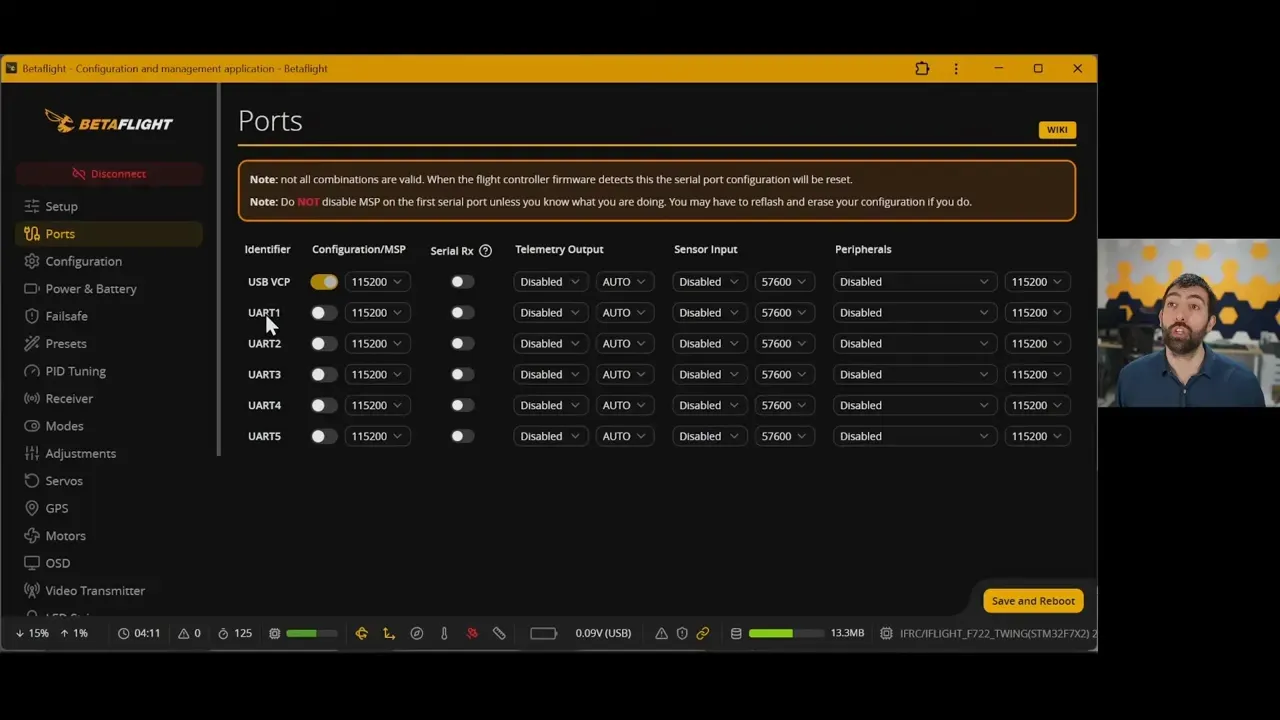
Configuration work also covers peripherals connected to the flight controller. The relevant port settings need to match the receiver, GPS, VTX, and other installed hardware. The course treats this as a foundation, because errors here can imitate later tuning faults.
Practical takeaway: Do not tune a quad until its gyro orientation, loop settings, ports, and battery readings have been checked. PID values cannot repair a board alignment mistake.
Safety, Radio, & First Flight Prep
A first flight should begin only after the safety and control systems have been configured. The course includes failsafe stages, GPS Rescue, receiver configuration, radio link settings, flight modes, motor configuration, ESC settings, DShot, and bidirectional DShot.
It also includes OSD and LED setup. Those are not just decorative extras. A correctly configured OSD gives the pilot operational information while flying, which is much handier than discovering a battery problem after the quad has selected a hedge as its new home.
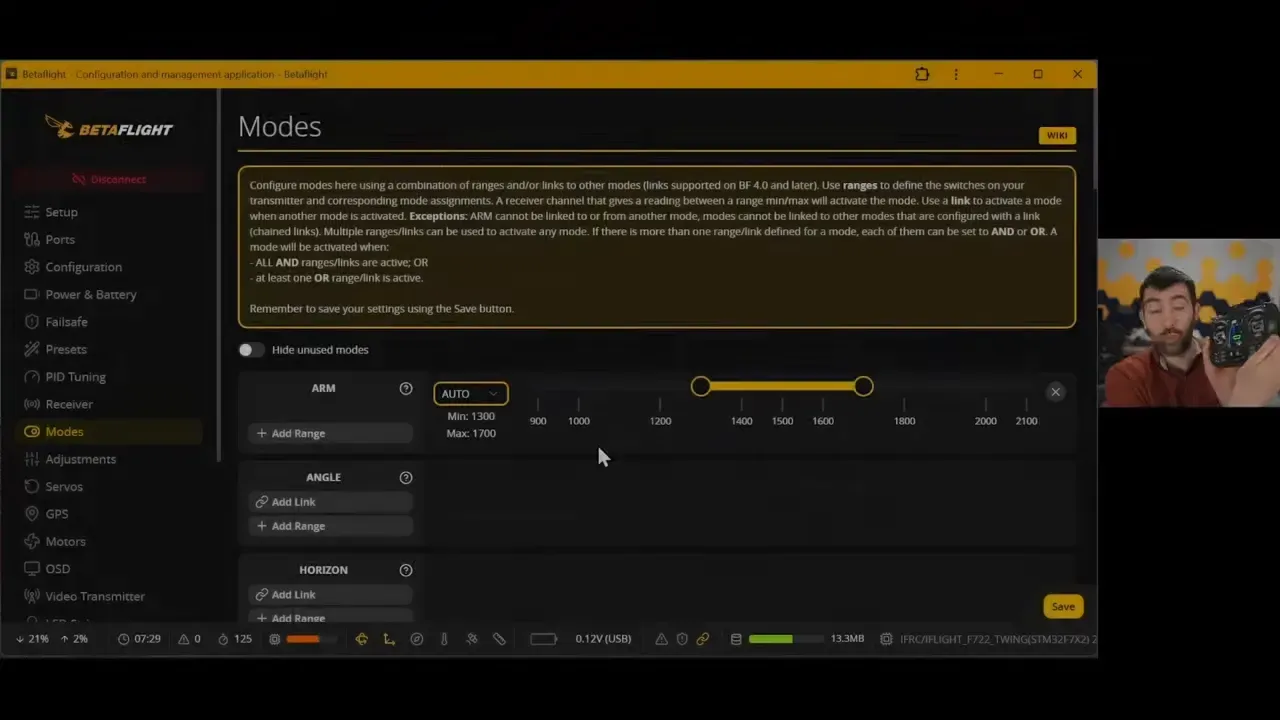
Bidirectional DShot matters because it supports RPM filtering. That filtering is later used to identify and suppress motor-related noise before it reaches the PID loop.
Practical takeaway: Set failsafe and verify motor behaviour before chasing performance. Safety configuration is part of a finished build, not paperwork for later.
Data-Driven Blackbox Analysis
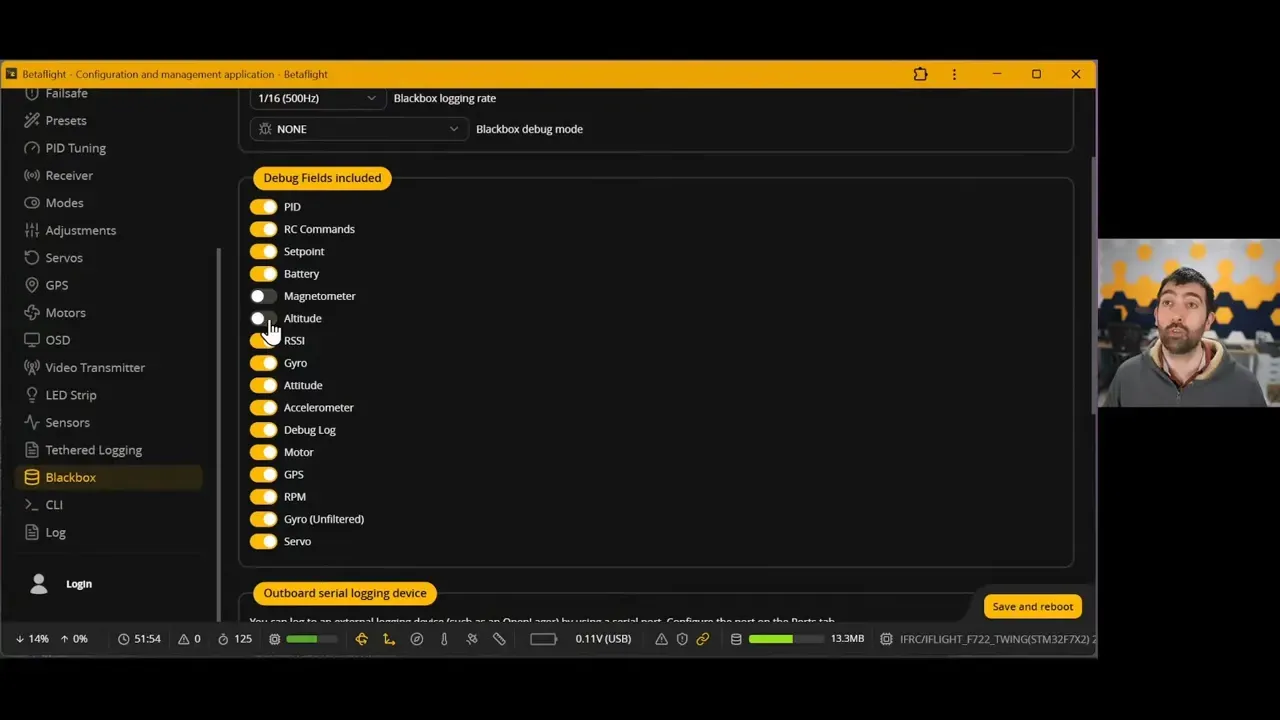
Blackbox logs provide the evidence needed to tune with intent. The course covers logging setup, Blackbox Explorer configuration, custom trace templates, and structured flights that gather useful data rather than several minutes of indecisive cruising.
Blackbox Explorer is used to compare control inputs, gyro response, PID activity, and filtering behaviour. The supplied custom trace templates are intended to make the useful signals easier to inspect without building every view from scratch.
The tuning sequence begins with logging, then analysis, then a controlled adjustment. This is slower than guessing for approximately five minutes, and much faster than guessing for six weekends.
Practical takeaway: Log enough information to answer a specific question. A Blackbox file is only useful when it can distinguish noise, poor filtering, a PID issue, or stick-response behaviour.
Mastering Filters & PID Tuning
Filters should be addressed before aggressive PID tuning. The course covers RPM filtering, dynamic notch filters, and D-term low-pass filters, all intended to reduce noise before it drives unwanted PID activity.
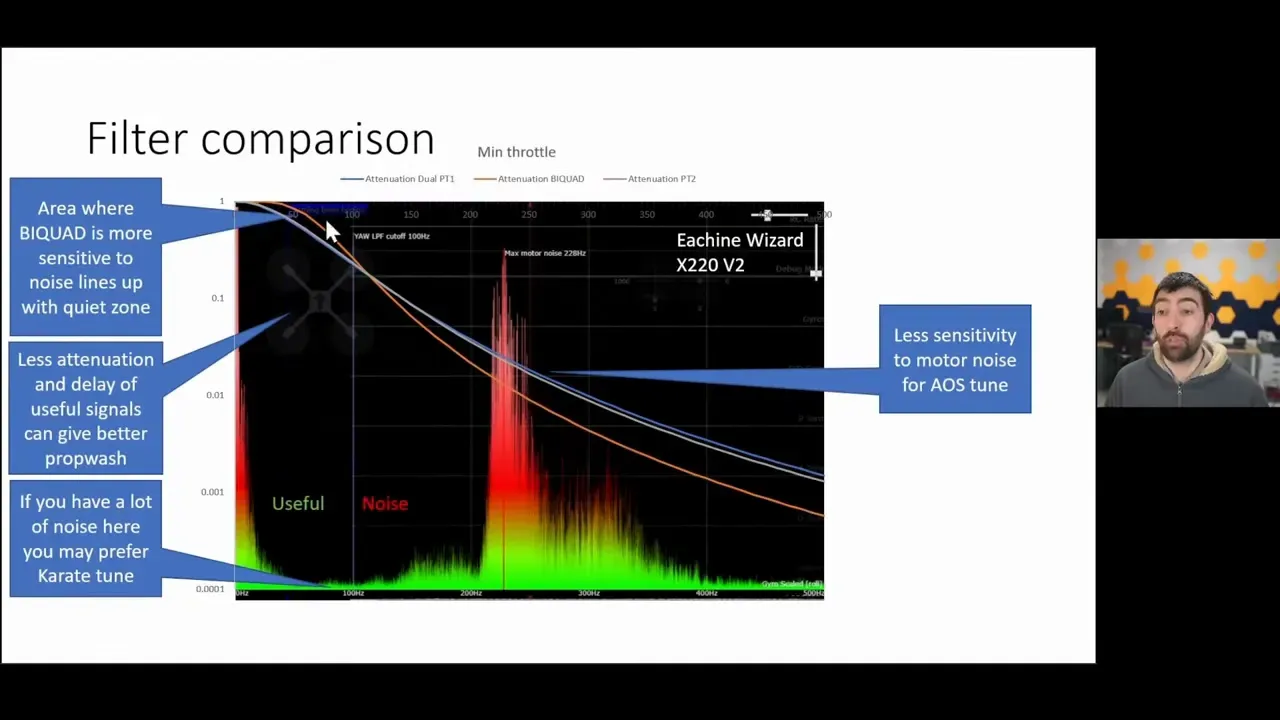
RPM filtering targets motor-related noise. Dynamic notch filtering tracks changing frequencies, while low-pass filters attenuate higher-frequency content. Each has a role, and simply disabling filters because someone else’s quad tolerated it is not a reliable test method.
Once the gyro signal is clean, the course moves through the PID controller and related tools:
- PID feedforward
- Master multiplier
- PD balance
- I-term relax
- Anti-gravity
- Dynamic damping
Changes are assessed with step responses and Blackbox traces. The emphasis is on identifying what each adjustment does, rather than treating PID controls as a panel of numbered surprises.
Practical takeaway: Clean noise first, then tune response. Raising PID gains against a dirty gyro signal is a reliable way to heat motors and learn regret.
Betaflight Chirp Auto-Tune & System ID
Betaflight 2026.06 introduces Chirp-based System ID and Auto-Tune, and the course explains how to use the feature without treating its output as divine instruction. Chirp injects a frequency sweep into the PID controller and measures the aircraft’s actual response.
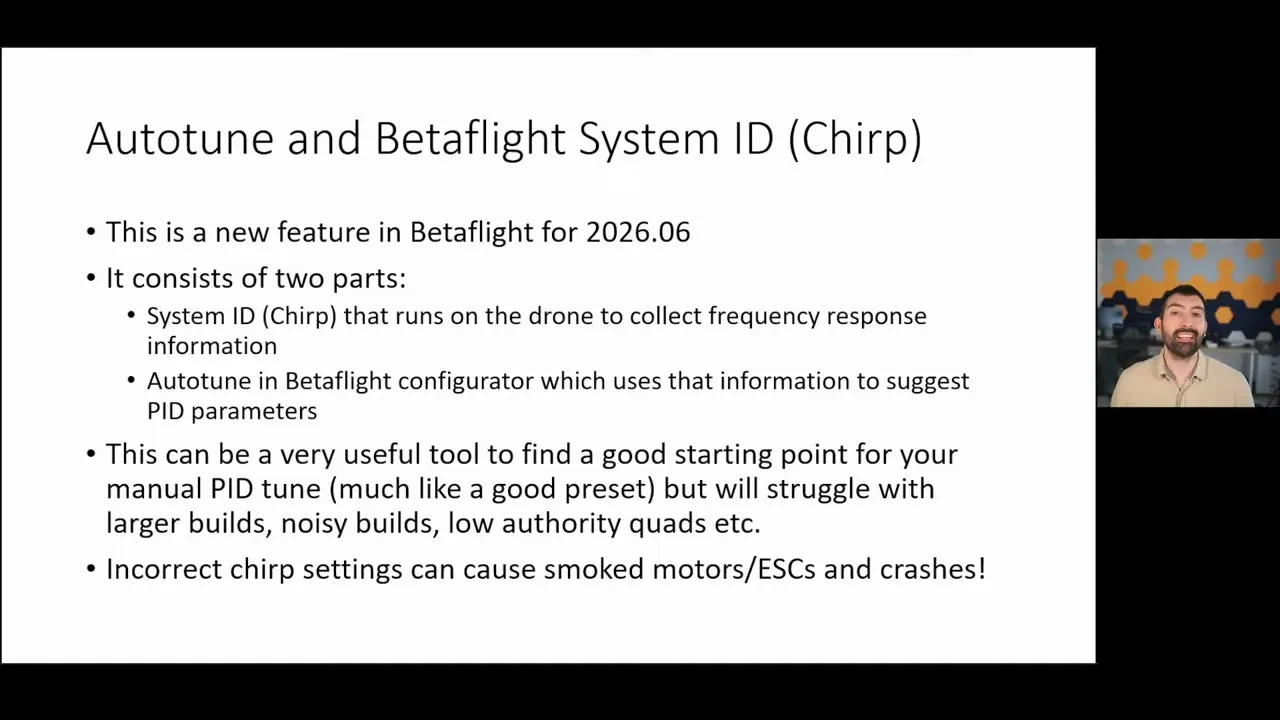
That measured response can speed up tuning decisions and improve confidence in them. It can also recommend values that are plainly unsuitable. Chris Rosser notes that Auto-Tune can occasionally suggest bonkers settings, which is an excellent reason to understand the data before applying it.
The course covers setting up the chirp test, flying it safely, and interpreting the resulting information using the preceding filter and PID lessons. A pilot is meant to judge whether a recommendation suits the quad, rather than discovering its flaws during an unexpected inversion.
Practical takeaway: Chirp Auto-Tune is a measurement tool, not an excuse to stop thinking. Review the output against the quad’s behaviour and Blackbox evidence.
Adjusting Rates & Stick Feel
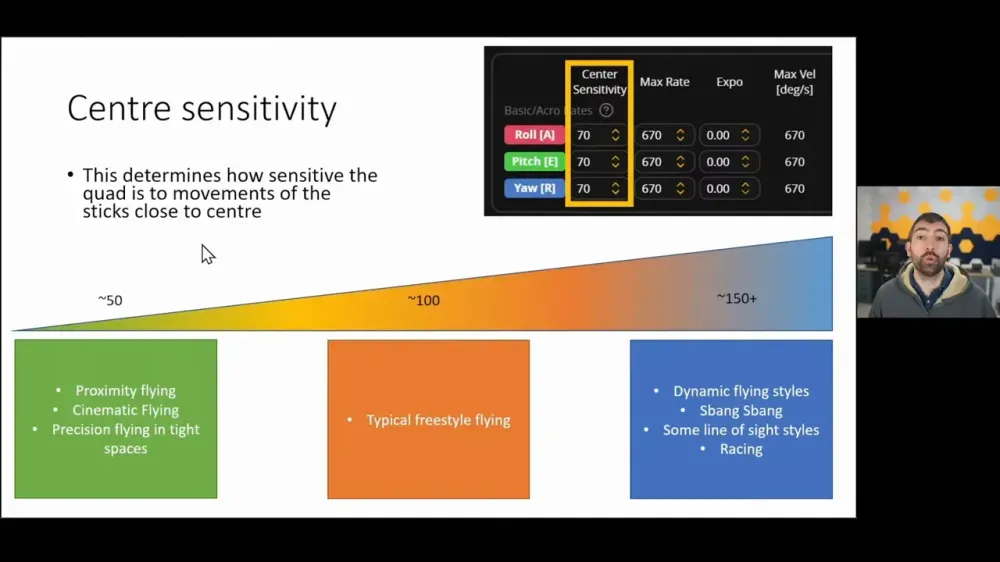
Rates determine how stick movement translates into quad rotation, so they should match the pilot’s control preference rather than someone else’s highlight reel. The course covers centre sensitivity, expo, yaw rates, and rate curves.
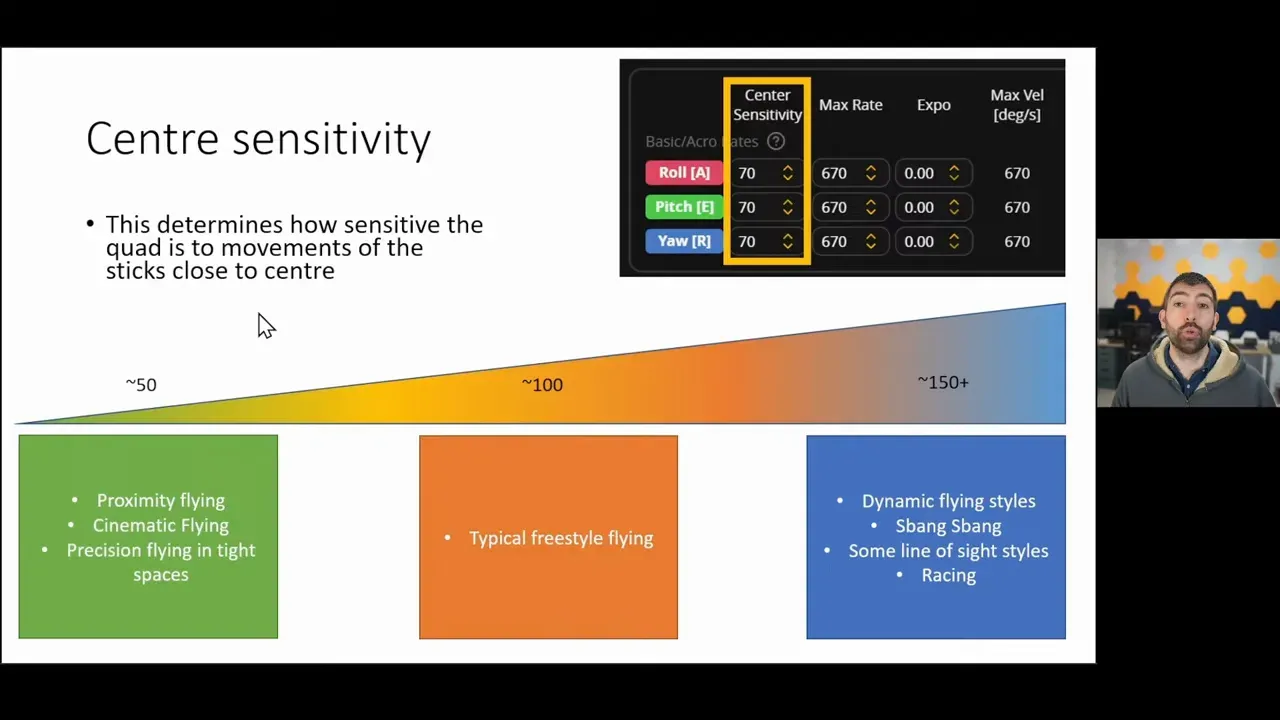
Centre sensitivity affects the fine-control region around the middle of the stick. Expo changes that response curve, helping tune precision around centre without necessarily changing the full-stick rate.
Throttle expo is also covered for improved low and mid-throttle control, including on quads with very powerful motor and ESC combinations. That is useful when a small throttle movement currently produces an answer better described as “too much quad”.
Practical takeaway: Tune rates after the aircraft is mechanically sound and properly filtered. Rates alter feel, not the underlying noise or PID problem.
Course Features: Interactive Logs & Quizzes
The course includes video lessons, detailed written lesson notes, example Blackbox logs, quizzes, and per-lesson discussion areas. The material supports both video-based learning and reading through the same technical explanation at a more deliberate pace.
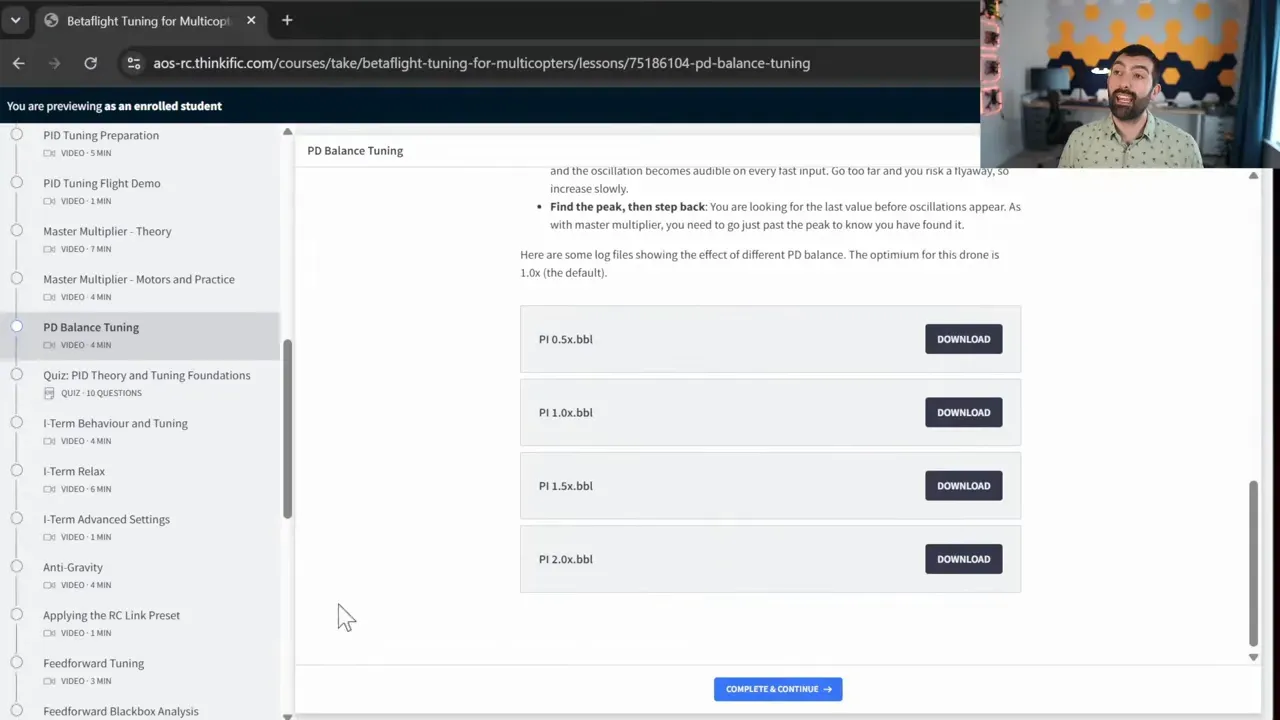
Example Blackbox logs are supplied from the course development work. These let students follow trace by trace even before recording their own logs, which is useful because a blank Blackbox Explorer window teaches very little beyond patience.
The quizzes provide immediate explanations for incorrect answers. Each lesson also has a discussion forum where pilots can ask questions, receive community input, and get responses from Chris Rosser.
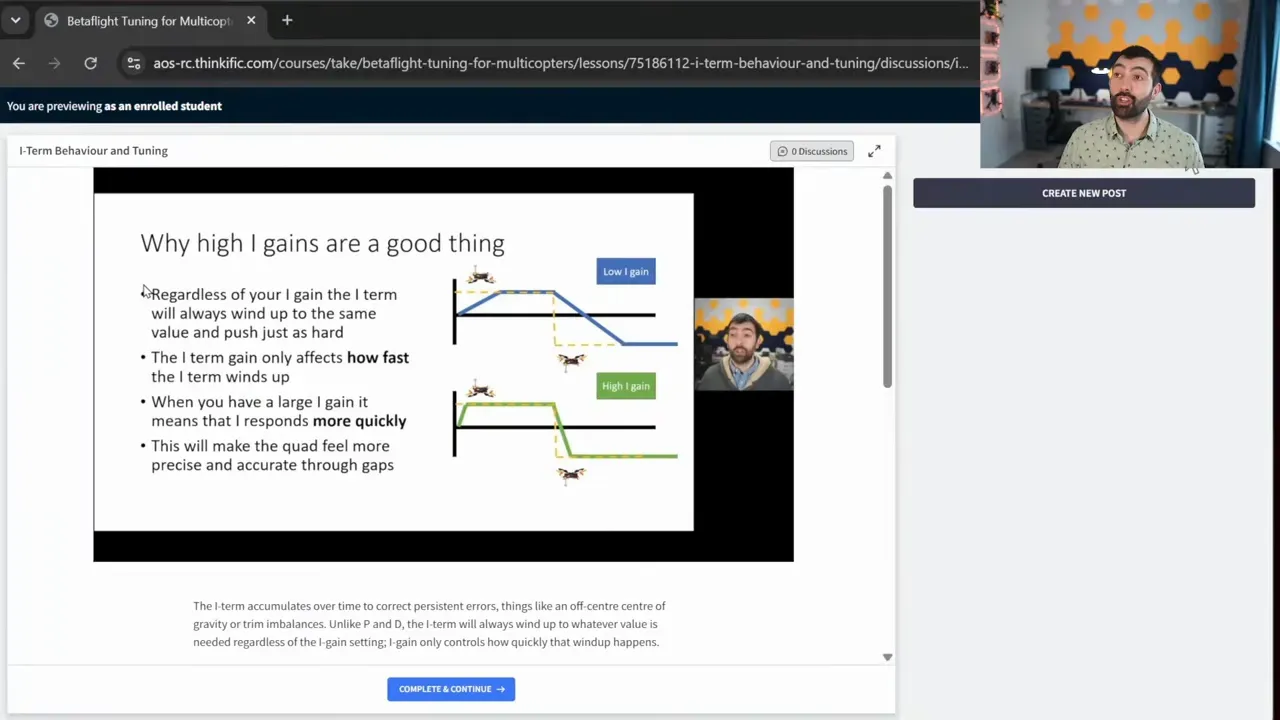
The larger aim remains independent troubleshooting. The forums are intended to unblock a difficult point, not create permanent dependence on somebody else diagnosing every trace.
Is This Course For You?
The course is built for both first-time Betaflight builders and experienced pilots who want a more rigorous tuning process. No prior Betaflight knowledge is required for the initial setup path.
New builders begin with a blank Configurator and work through each setting in sequence. That offers a route to a properly configured and safer first quad, with the reason for each decision explained along the way.
Experienced pilots gain the most from the Blackbox and tuning modules. Those sections focus on understanding logs, using Betaflight’s advanced PID tools, and turning a serviceable tune into a more controlled one.
Free enrolment provides access to all chapter introductions. That gives a practical way to judge the platform and module depth before paying for the full material.
Practical takeaway: It is a fit for pilots willing to read traces and test methodically. It is not presented as an instant tune button for people who prefer their diagnostics pre-chewed.
Pricing & Lifetime Access
The course uses a one-off payment model rather than a subscription. The course page shown in the source material lists a price of $99.99, although pricing can change and should be confirmed on the enrolment page.
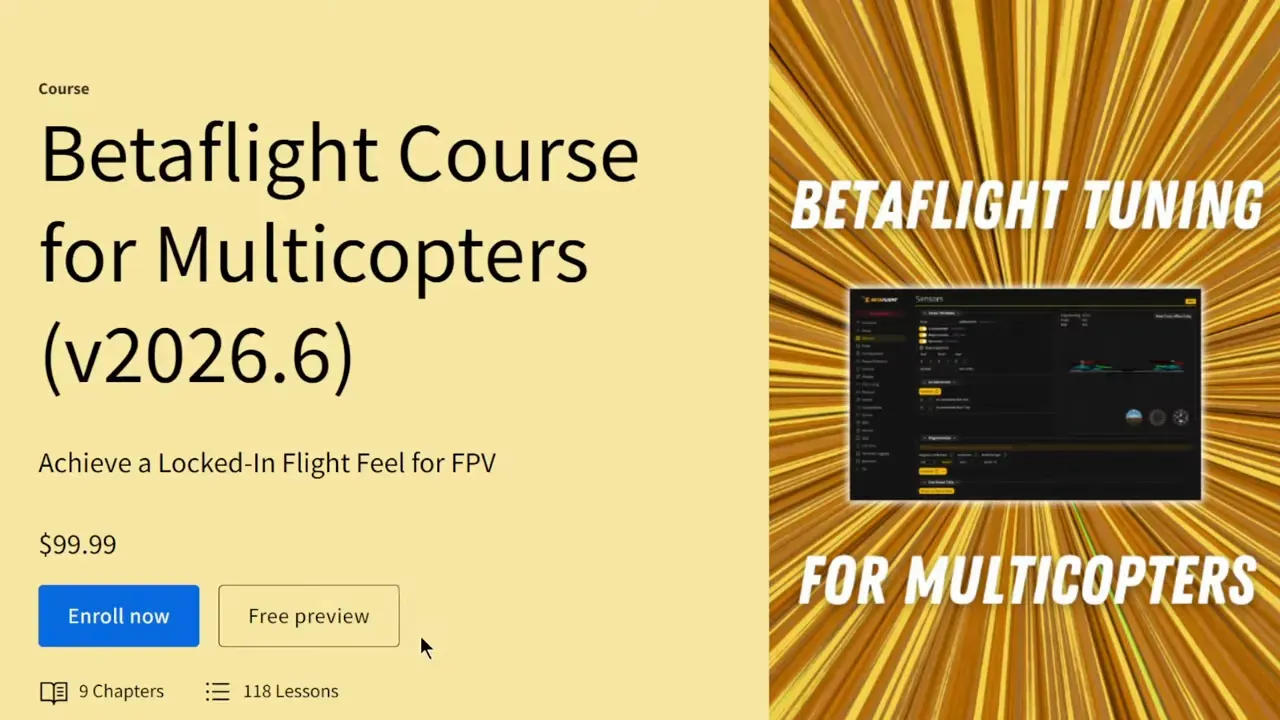
Access is described as lifetime access. This includes returning to the material for later builds, refreshing a setting months later, and receiving course updates and new modules as Betaflight develops.
The stated update coverage includes the Betaflight 2026.06 content and newer additions such as Chirp Auto-Tune material. There is no subscription requirement stated in the source material.
How to Enrol & Outro
Enrolment is available through the Betaflight Course for Multicopters enrolment page. Further course information is available from AOS RC.
The core proposition is refreshingly straightforward. Configure the hardware properly, collect usable data, make one informed change at a time, and learn to explain why the quad behaves as it does.
FAQ
Does the Betaflight 2026.06 tuning course require prior experience?
No prior Betaflight knowledge is stated as necessary. The course starts with a blank Configurator and explains settings as they are introduced. More experienced pilots can focus on the Blackbox, filter, PID, and advanced tuning sections.
Can Blackbox logs help fix hot FPV motors?
Yes, the course uses Blackbox analysis to identify noise and tune behaviour before changing PID settings. It places filtering first because a noisy gyro signal can contribute to excessive motor heat. Mechanical faults are not ruled out by the course material, so props, motors, frame condition, and hardware installation still need checking.
What does Betaflight Chirp Auto-Tune do?
Chirp System ID injects a frequency sweep into the PID controller and measures the quad’s response. Betaflight Auto-Tune uses that information to suggest tuning values. The course advises reviewing those suggestions rather than applying them blindly.
Does the course cover bidirectional DShot and RPM filtering?
Yes. The first-flight preparation section covers DShot and bidirectional DShot, while the filter modules include RPM filtering. This links the ESC protocol setup to the later process of suppressing motor-related noise.
Can the course help if a quad feels mushy on the sticks?
Yes, it covers feedforward, PID adjustments, rates, centre sensitivity, and expo. The material separates stick feel from noise and filtering work, so it encourages fixing the tune foundation before adjusting rate curves.
Is the Betaflight course a subscription?
No. It is described as a one-off payment with lifetime access. The stated access includes future course updates and new modules.