
Betaflight 2026.6 has hit release candidate, which means the next major Betaflight update is close enough to poke with a stick. The good news is that there is a lot here, and some of it is genuinely useful instead of the usual firmware changelog archaeology.
TLDR: What you actually need to know
- Betaflight 2026.6 is in release candidate, so it is feature complete but still not guaranteed bug free.
- If the flight controller uses an IIM-42652 gyro, old PID tunes are unsafe after the gyro fix. Reset to defaults and retune, or risk a flyaway or cooked motor.
- The Configurator has been rebuilt, and it finally looks and feels like software from this century.
- Battery profiles are now supported, which matters if one quad flies both LiPo and Li-Ion packs without wanting the low voltage warnings to become performance art.
- Auto PID tune, built-in Blackbox Log Viewer, cloud backups, Android flashing, iOS bridge support, CAN bus, optical flow, ELRS 4.0 SPI, and MSP access to CLI settings are all part of the update.
- Best for: pilots who tinker, long range builds, developers, and anyone tired of Betaflight Configurator feeling like a museum exhibit.
- Avoid if: the quad is mission critical, the setup already works, or the words release candidate make the palms sweaty.
Betaflight 2026.6 is coming!
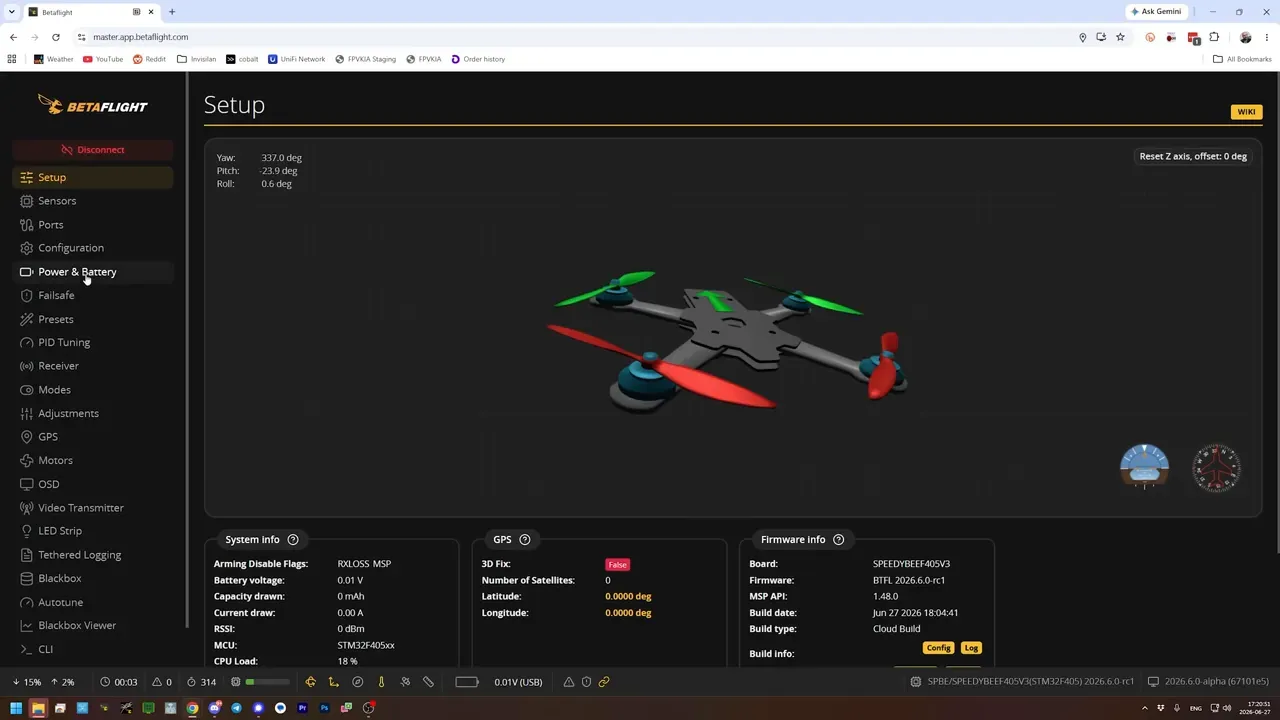
Yes, Betaflight 2026.6 is real, and yes, it is already available as a release candidate through the master build. That means the release is close, but not done baking.
The sensible rule still applies. A release candidate is usually stable enough to test, but it is still test software. Flash it because there is a reason, not because idle hands crave a firmware update.
The easiest way to try it is through master.app.betaflight.com, which tracks the latest master build rather than the stable public release. Handy in a release candidate window, mildly reckless in the middle of a dev cycle.
So what? This is one of the more substantial Betaflight updates in a while, and it is worth paying attention to even if the quad stays on stable for now.
What is the one Betaflight 2026.6 bug fix that actually matters right now?
The big one is the fix for the IIM-42652 gyro, and it is not optional housekeeping. If that gyro is on the flight controller, old PID values can become dangerously wrong after updating.
The issue was that the gyro had previously been misconfigured and was effectively reporting roughly double the real rotational rate. That meant PID tuning ended up compensating for bad sensor data. Once the fix lands, those same PID values can be far too high.
The result is exactly the sort of nonsense nobody enjoys, such as flyaways or burnt motors. Betaflight 2026.6 needs those quads to be reset to default PIDs and retuned from scratch.
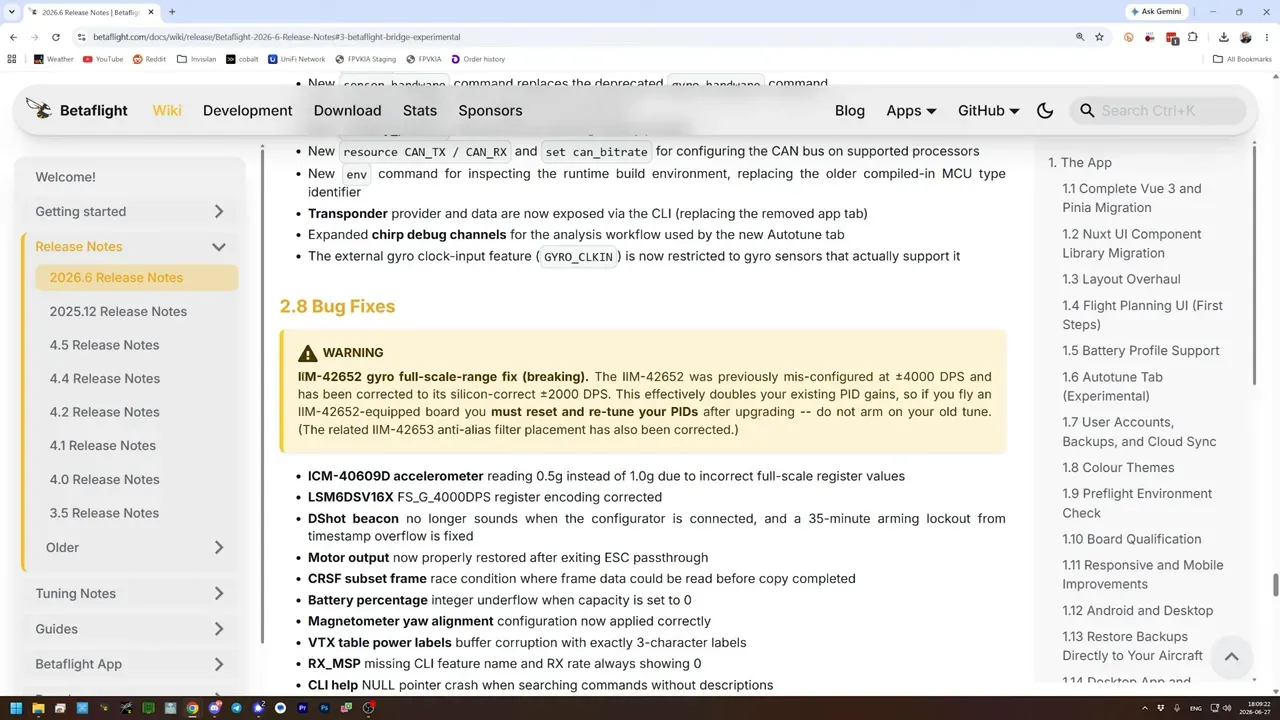
The practical takeaway is simple. If a quad has an IIM-42652 gyro, do not flash and fly on the old tune. Check the hardware first, then reset PIDs before doing anything ambitious.
Why does the new Betaflight Configurator matter so much?
Because the Configurator has been completely rebuilt, and that unlocks far more than a fresh coat of paint. The old framework was restrictive, awkward, and one of the reasons changes were slow.
Betaflight had already moved to a progressive web app partly to sidestep cross-platform pain, but the underlying structure still made development harder than it needed to be. The rebuild changes that.
In practice, the app looks cleaner, feels more organised, and shuffles options into places that make more sense. That can be mildly irritating for the first ten minutes, because muscle memory is a petty tyrant, but the structure is better.
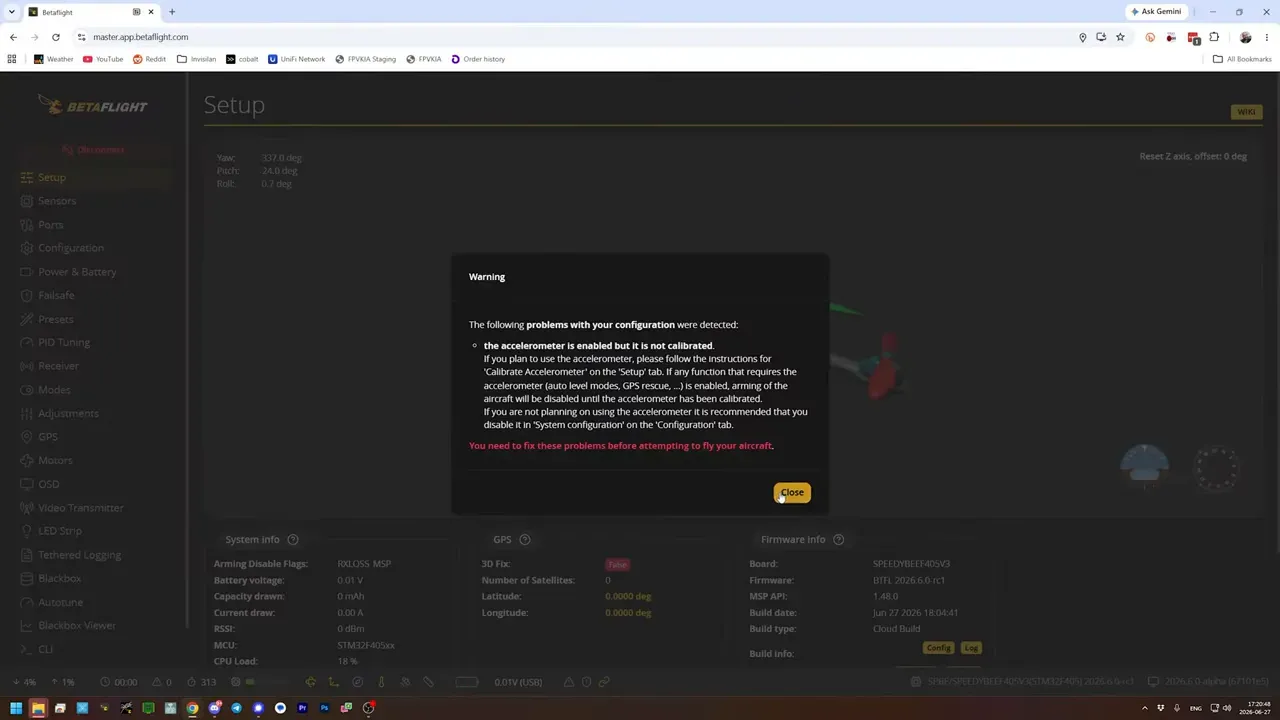
So what? This update is not just about features. It is about Betaflight finally having a Configurator that developers may actually want to touch again.
Does Betaflight 2026.6 really support waypoints now?
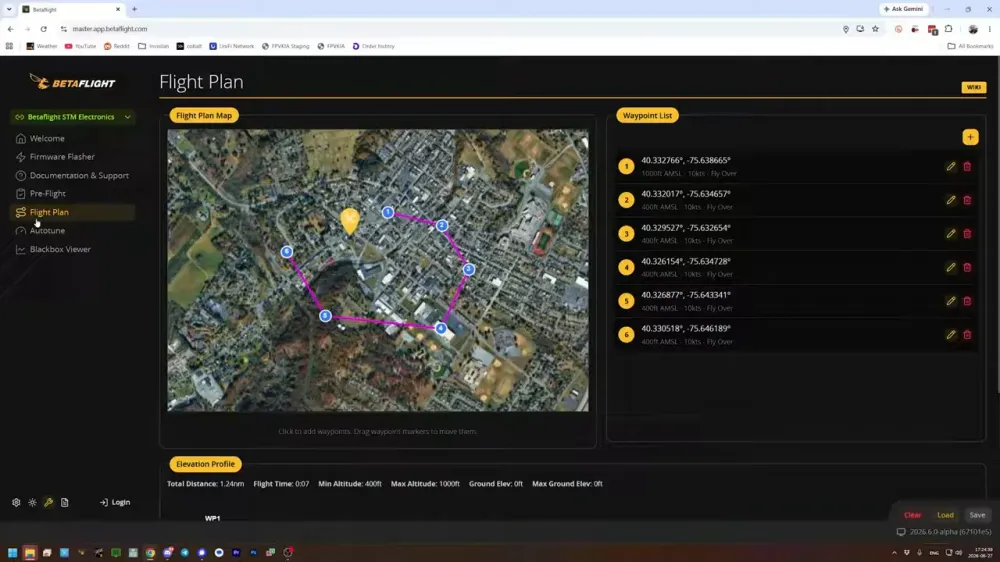
Technically yes, but only in the same sense that a toddler technically supports advanced logistics. The new Flight Plan tab adds very preliminary autonomous waypoint mission support.
That is notable because Betaflight has historically focused on acro and racing, not autopilot features. The new tab shows where things may go, but it is not ready for real-world autonomous use.
At this stage, waypoint support is extremely limited. Only a basic flyover waypoint type is available, altitude entry is awkward, and the developers explicitly say not to use it in the real world. It exists so people can test, prod, and help shake out bugs.
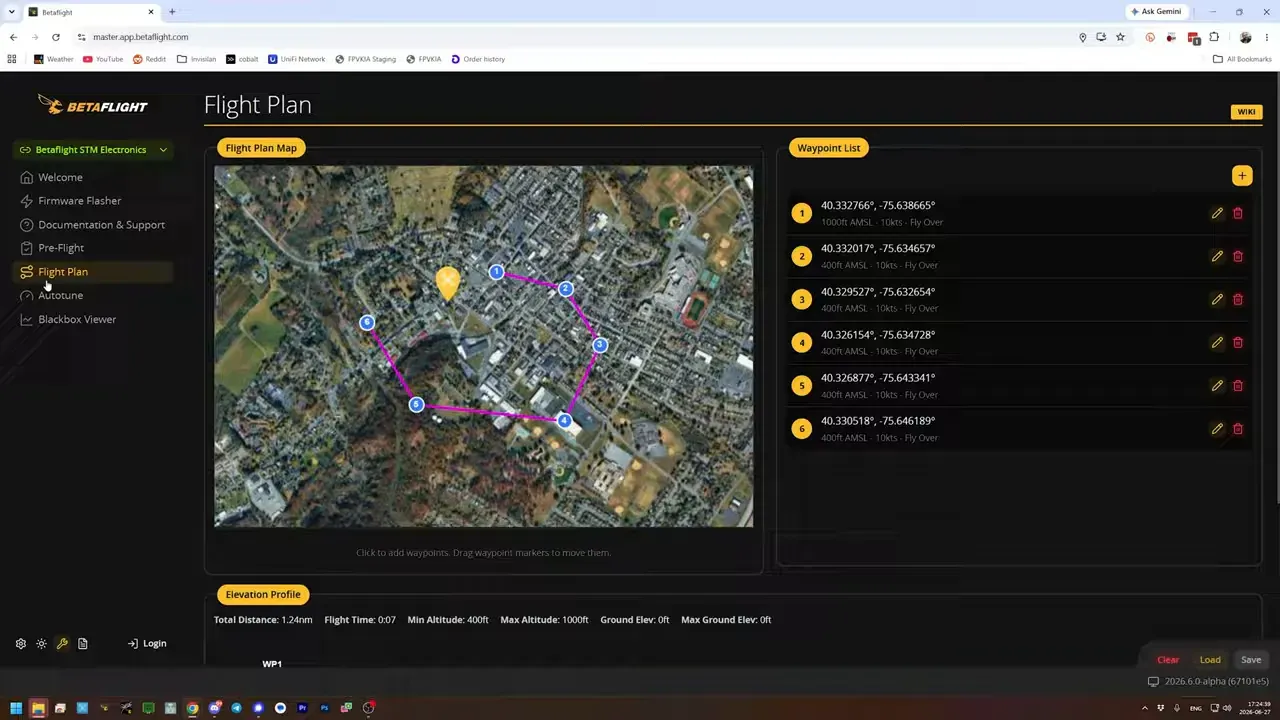
The practical takeaway is blunt. If proper autonomous missions matter today, iNav or RGPilot remain the more sensible tools. Betaflight is only just opening that door.
How does Betaflight 2026.6 auto PID tune work?
Betaflight 2026.6 adds an Auto-Tune tab, which is an official developer-endorsed path for PID tuning. That alone makes it worth attention.
It is not magic, and it is not yet a verdict on whether auto tuning has finally been solved. The process depends on a Blackbox log recorded with debug mode set to chirp. Without that, the tab has nothing to work with.
That matters because the FPV world has recently collected a cheerful assortment of auto-tune tools, and quality varies. Some may be solid. Some may have been assembled by wishful thinking and autocomplete. Having a tool with official Betaflight backing is a better starting point.
The takeaway is cautious optimism. This could be a killer feature, but it still needs real use before anyone should treat it as the new tuning gospel.
What other Betaflight 2026.6 Configurator changes are actually useful?
Several of them are immediately useful, especially if the usual routine involves too many tabs and too many chances to lose a backup at the worst possible moment.
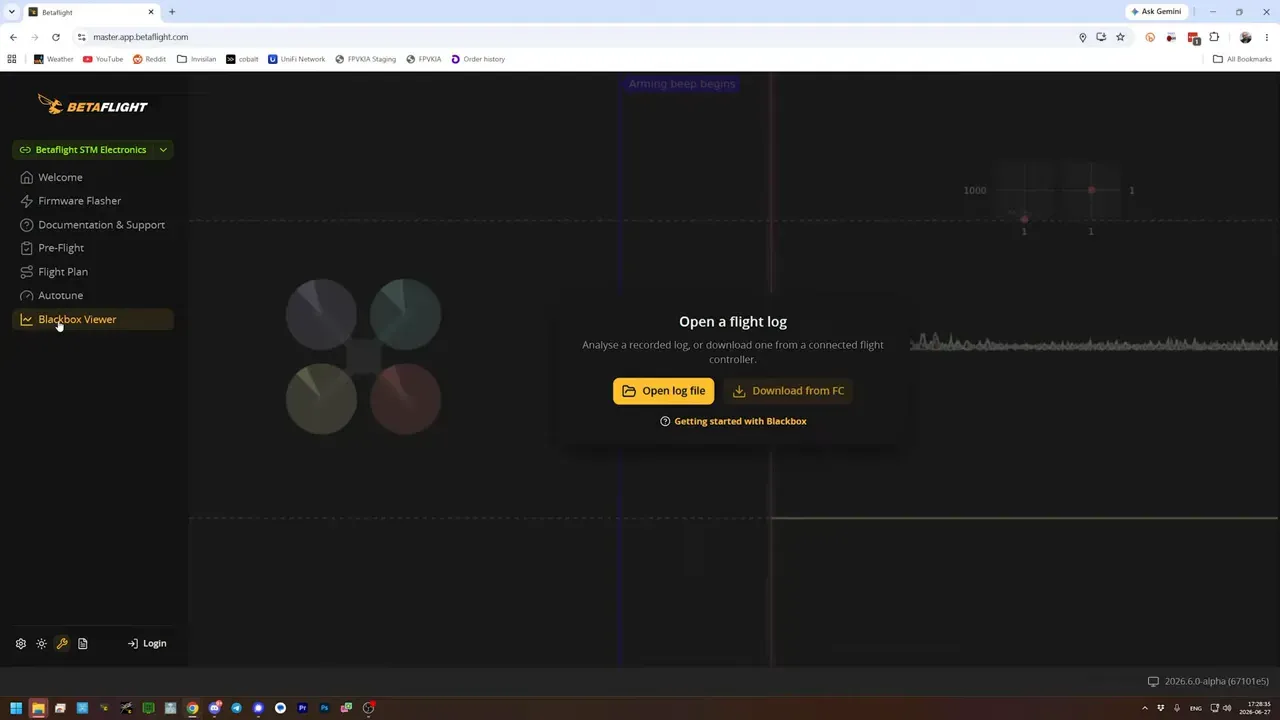
Blackbox Log Viewer is now built directly into Betaflight Configurator. No more separate app just to inspect logs. One tool, one interface, less faffing.
Cloud backups are also part of the new account system. Backups can be tied to aircraft, then downloaded, edited, or deleted from within the Configurator. In theory, this stops the classic workflow of saving a backup to a laptop and then discovering that laptop is now somewhere between forgotten and dead.
There is one caveat. In this release candidate, the cloud backup flow did not appear fully obvious, and it was not clear whether the feature was incomplete or just hidden behind an interface decision. So the feature exists, but the state of implementation looked a bit fuzzy.
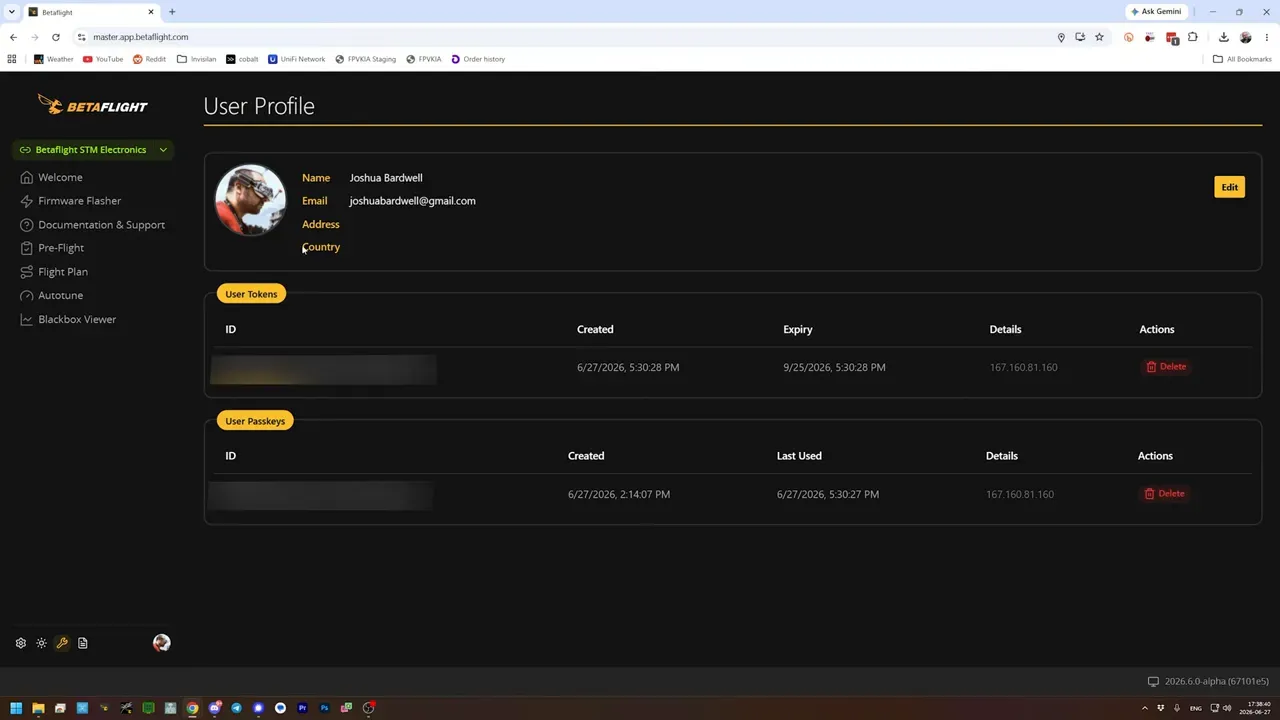
The takeaway is that Betaflight Configurator is becoming more like a proper platform, not just a settings bucket with tabs.
How do battery profiles change Betaflight 2026.6 for LiPo and Li-Ion builds?
Battery profiles solve a long-standing Betaflight annoyance for pilots who switch between LiPo and Li-Ion packs on the same aircraft. It is one of the most practical changes in the whole release.
The problem was simple. Betaflight only had one battery warning setup, but LiPo pouch cells and cylindrical Li-Ion cells have different sensible minimum voltages. LiPo might be treated as empty near 3.0V per cell, while Li-Ion can be taken lower, around 2.5V to 2.7V depending on the setup.
So if Betaflight was configured for LiPo, a Li-Ion pack would complain early and often. Configure for Li-Ion, and a LiPo pack might not shout until after it has already been mistreated. Neither option is especially charming.
Betaflight 2026.6 adds separate battery profiles, each with its own minimum, maximum, and warning voltages. For example:
- Profile 1 could be LiPo with standard warning levels.
- Profile 2 could be Li-Ion with something like 2.7V minimum and 2.9V warning.
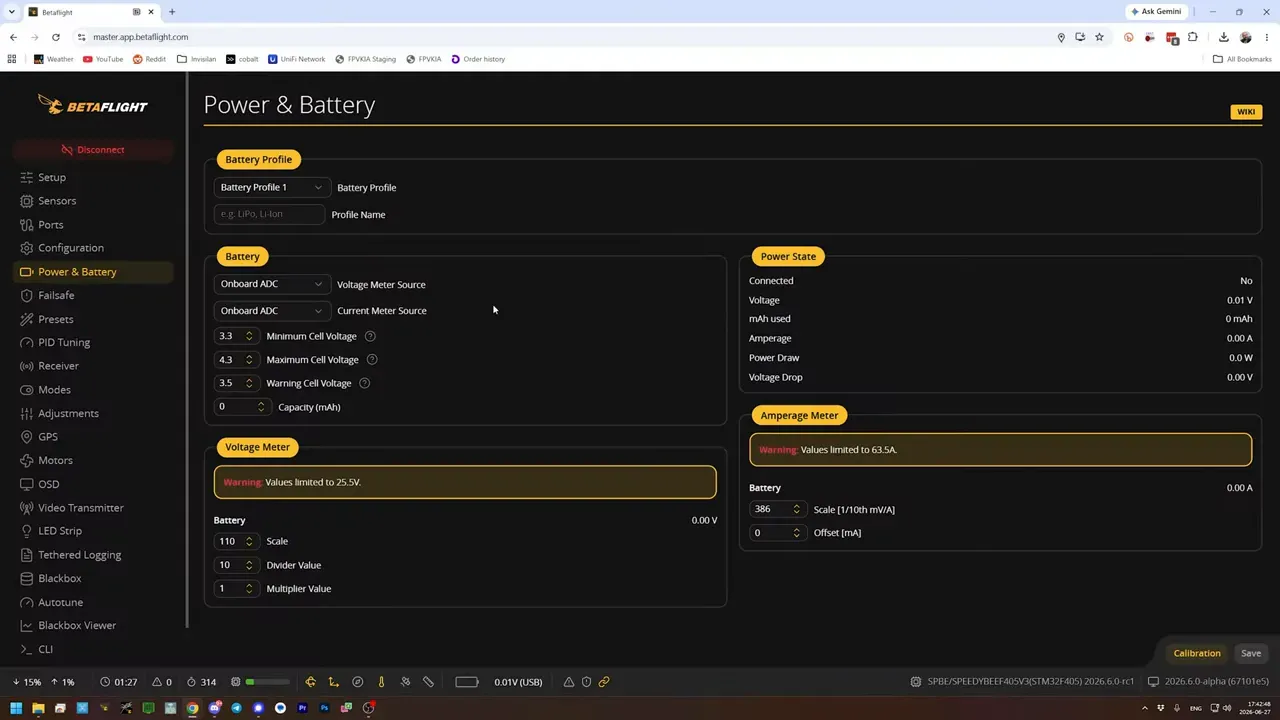
Betaflight can auto-select a profile when the cell count differs, such as a 4S Li-Ion and a 6S LiPo. If both packs use the same cell count, such as 6S Li-Ion and 6S LiPo, the profile must be changed manually.
The good bit is that manual does not mean annoying. Profiles can be switched through the OSD, and confirmed support exists for in-flight adjustments, so the battery profile can be assigned to a radio switch.
The takeaway is obvious. Anyone flying both battery chemistries on one quad now has a sane way to do it without relying on memory or luck.
Is Betaflight 2026.6 better on Android, iPhone, and desktop now?
Yes, substantially. Mobile and desktop support both get meaningful upgrades in this release.
On Android, the app is now fully functional, including flashing in DFU mode directly from the app. Previously, Android could configure a flight controller but not fully replace desktop flashing.
That changes the equation. For most tasks, Android now works as a proper desktop replacement, with the predictable exception that typing in CLI on a phone screen is still an act of self-punishment.
On iOS, there is a TestFlight build, but Apple still refuses straightforward USB serial access. So the Betaflight developers worked around that with the Betaflight Bridge, a Wi-Fi to USB bridge device that an iPhone or iPad can talk through for seamless configuration and flashing.
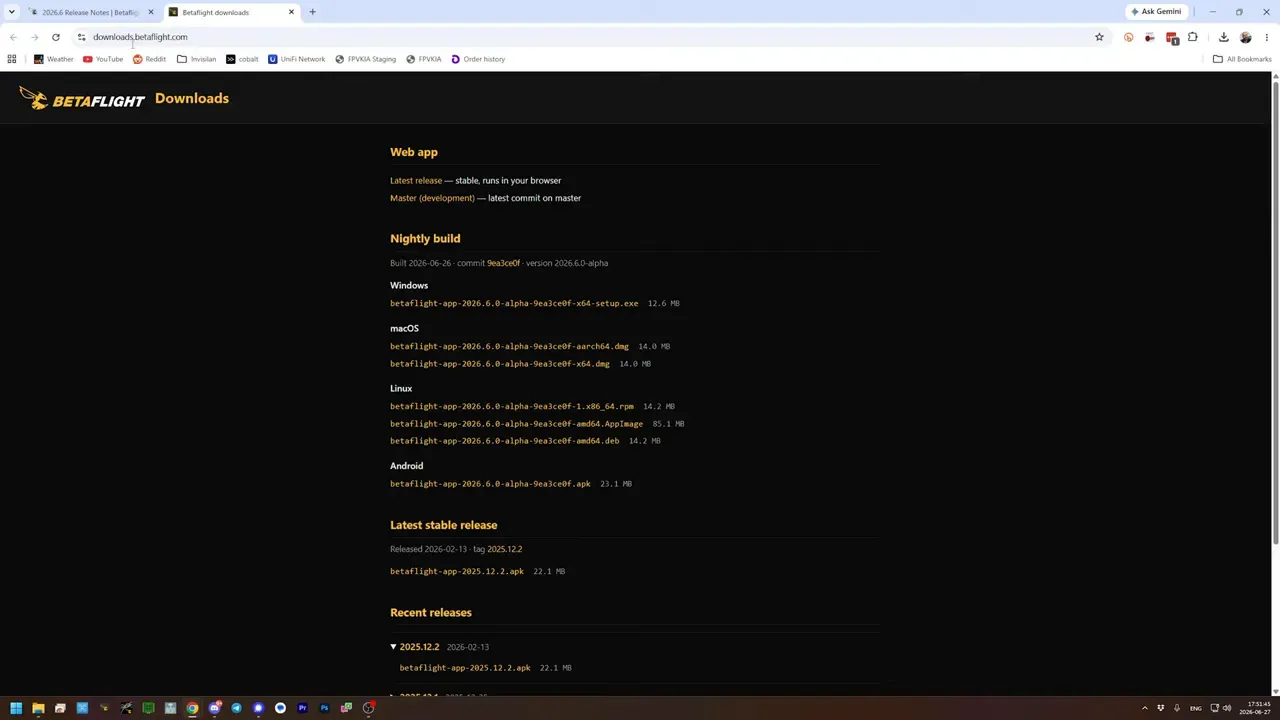
And for people who disliked the progressive web app on desktop, standalone desktop builds are back. The new app architecture makes that possible again. Nightly builds are available now, with stable releases to follow once 2026.6 becomes official.
The takeaway is that Betaflight now covers far more use cases without forcing everyone through exactly one access method. Miracles do happen.
What new telemetry, power, hardware, and protocol features are in Betaflight 2026.6?
Quite a lot, and some of these changes matter more to builders and developers than to freestyle pilots.
- Real-time power in watts and voltage sag display now appear in the Power and Battery tab. This could help assess battery behaviour, although accuracy still needs real-world validation.
- Optical flow and altitude hold support have been added for the UPixel UPT1001 Plus optical flow and laser rangefinder sensor, mainly for indoor position hold where GPS is useless.
- CAN bus support is now included, which matters more on larger or long-range platforms where multiple peripherals can share a bus instead of consuming UARTs one by one.
- New MCU support includes ESP32, ESP32 Room, STM32H562, STM32H563, and ST's Nucleo H563ZI development board, with additional preliminary support for other processors.
- Raspberry Pi Pico 2 support opens the door for flight controller use on hardware that can also handle extra processing tasks.
- New gyro support has been added, which matters because sourcing decent gyros is getting harder and bad substitutes have caused enough drama already.
- ExpressLRS 4.0 SPI support is now official, but requires flashing with the custom option USE_ELRS_V4.
- CRSF telemetry now carries full-resolution motion data, including accelerometer, gyro, barometric altitude, vertical speed, magnetic heading, and 3-axis GPS velocity. This is especially relevant for ATAK style integrations.
- QGroundControl support is improved. Still basic, but at least it is moving away from barely-functional misery.
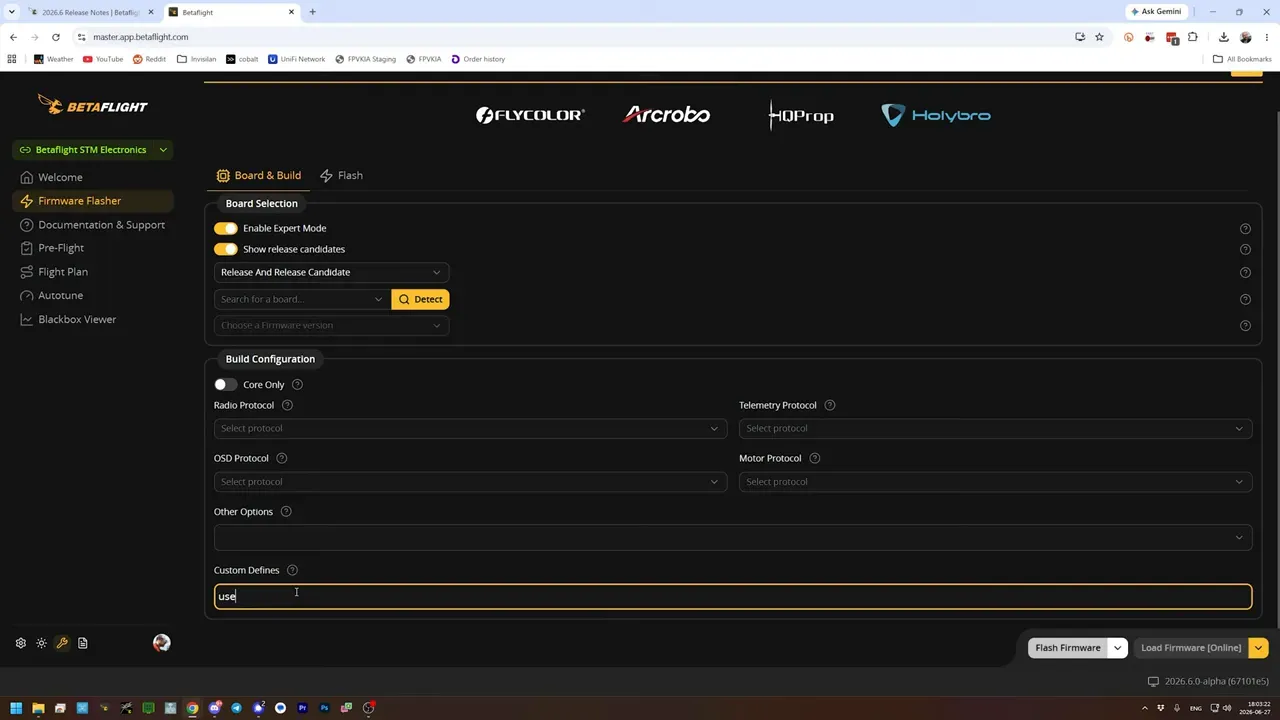
So what? Betaflight is stretching well beyond its old acro-only comfort zone. Not all of these features will matter to every pilot, but the platform is clearly broadening.
Why is MSP access to any CLI setting a bigger deal than it sounds?
Because it fixes a boring problem that has wasted far too much time. Betaflight 2026.6 allows reading and writing any CLI parameter over MSP instead of shoving ASCII text into the CLI and hoping nothing gets mangled.
That has two immediate benefits. First, saving and restoring configuration becomes far more robust. No more corrupted dump files because a text transfer glitched at exactly the wrong moment.
Second, third-party tools can access far more of Betaflight's internal settings without being limited to the subset previously exposed through MSP. That opens the door for smarter setup tools, backup systems, and integrations.
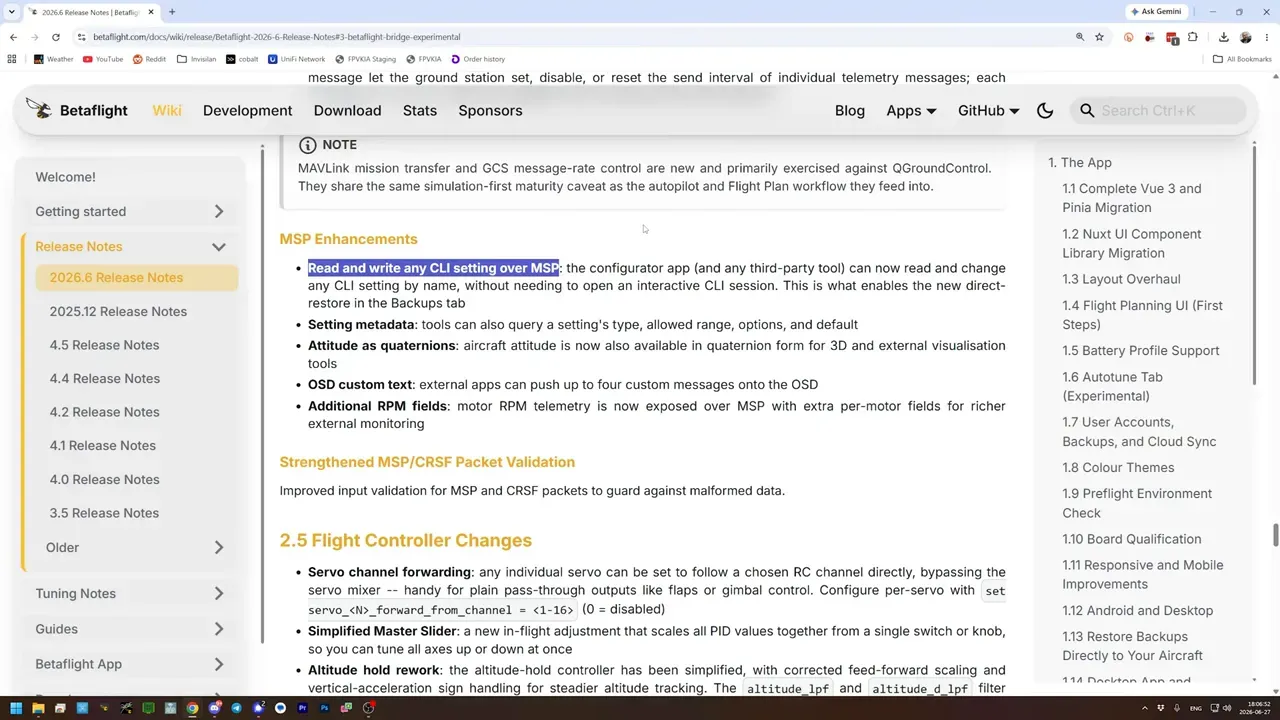
The takeaway is that this is a foundational change. It may not look glamorous, but it removes a lot of nonsense from configuration management.
What smaller Betaflight 2026.6 features are worth knowing about?
A few smaller additions are easy to miss but still useful.
- Servo channel forwarding is much easier. Any AUX channel can be mapped directly to any servo, bypassing much of the old mixer complexity.
- Blackbox logs are now timestamped with GPS time. That means easier log matching, easier syncing with external data, and no more detective work after a day that generated 27 similar logs.
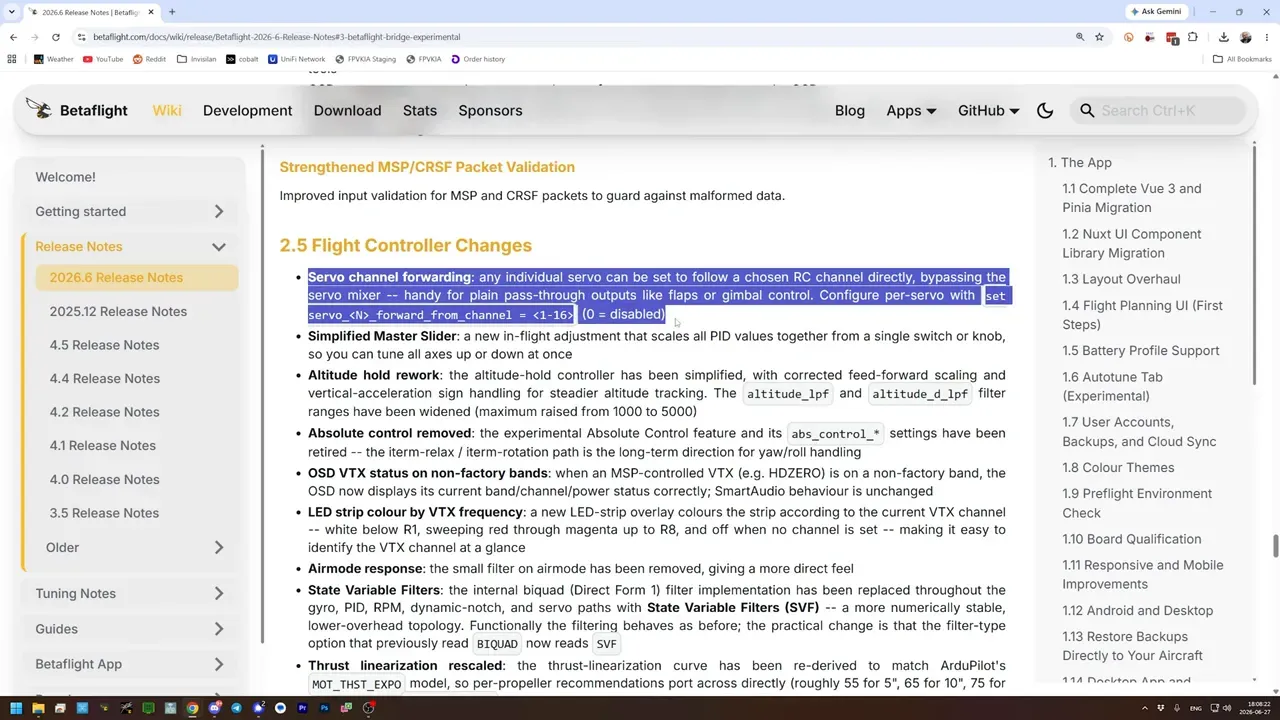
The practical takeaway is simple. Several headaches that used to be accepted as normal are starting to disappear, which is frankly suspicious but welcome.
Is Betaflight 2026.6 worth trying now, or waiting for stable?
Yes, it looks worth trying, but only if testing release candidates is already within the pilot's risk tolerance. This is one of the strongest Betaflight updates in a while.
The rebuilt Configurator alone is a major quality-of-life jump. Add battery profiles, built-in Blackbox viewing, Android flashing, standalone app returns, MSP CLI access, and official auto-tune, and this is not a minor patch pretending to be a release.
The caution remains the same. Some features are clearly early, especially waypoint support. And the IIM-42652 gyro fix comes with a very real retuning requirement. This is not the moment for casual flashing five minutes before a weekend event.
The takeaway is balanced. For testers and tinkerers, Betaflight 2026.6 looks exciting. For everyone else, stable is still the grown-up choice.
FAQ
Should Betaflight 2026.6 be installed on a daily flyer right now?
Only if using release candidates is already normal practice. It is close to release, but still test software, and at least one hardware-specific change can require a full PID retune.
How can an IIM-42652 gyro be checked before updating?
The video does not give a step-by-step identification method. It only states that pilots using an IIM-42652 gyro must reset PIDs to default and retune after updating.
Does Betaflight 2026.6 replace iNav for autonomous flight?
No. Waypoint and autopilot features are present only in a very preliminary form, and are explicitly not intended for real-world use yet.
Can Betaflight 2026.6 flash flight controllers from Android?
Yes. The Android app can now flash in DFU mode directly, which makes it a near-complete replacement for desktop in most cases.
Can iPhone users configure Betaflight 2026.6 without a desktop?
Yes, but not directly over USB serial in the normal way. The solution described is the Betaflight Bridge, which acts as a Wi-Fi to USB bridge for iOS devices.
How does ExpressLRS 4.0 SPI support get enabled in Betaflight 2026.6?
The firmware must be flashed with the custom define USE_ELRS_V4. Without that option, official ELRS 4.0 SPI support is not enabled.
Does Betaflight 2026.6 finally handle LiPo and Li-Ion on one quad properly?
Yes, much better than before. Battery profiles allow different voltage warnings and minimums, though same-cell-count packs still need manual profile switching.
Is the standalone Betaflight app back?
Yes. Standalone desktop builds are available again thanks to the rebuilt app architecture, with nightly builds available during the release candidate stage.
Key specs and claims mentioned
- Confirmed in video: Betaflight 2026.6 is at release candidate stage.
- Confirmed in video: master.app.betaflight.com provides the latest master build.
- Confirmed in video: IIM-42652 gyro users must reset PIDs to default and retune.
- Confirmed in video: Auto-Tune requires a Blackbox log recorded with debug mode set to chirp.
- Confirmed in video: Battery profiles support separate minimum, maximum, and warning cell voltages.
- Confirmed in video: Example Li-Ion settings shown were 2.7V minimum and 2.9V warning.
- Confirmed in video: Android app now supports flashing in DFU mode.
- Confirmed in video: iOS support uses a Betaflight Bridge because iOS does not expose USB serial access directly.
- Confirmed in video: Real-time power draw in watts and voltage sag display were added to the Power and Battery tab.
- Confirmed in video: Optical flow and altitude hold support were added for the UPixel UPT1001 Plus sensor.
- Confirmed in video: New support includes ESP32, ESP32 Room, STM32H562, STM32H563, ST Nucleo H563ZI, and Raspberry Pi Pico 2.
- Confirmed in video: ExpressLRS 4.0 SPI support requires the USE_ELRS_V4 firmware option.
- Confirmed in video: CRSF telemetry now includes full-resolution motion data.
- Confirmed in video: Any CLI setting can now be read and written over MSP.
- Confirmed in video: Blackbox logs are now timestamped with GPS time.
Sources
- Betaflight 2026.6 Release Notes: https://betaflight.com/docs/wiki/release/Betaflight-2026-6-Release-Notes
- Betaflight master app: https://master.app.betaflight.com/
- Betaflight downloads: https://downloads.betaflight.com/