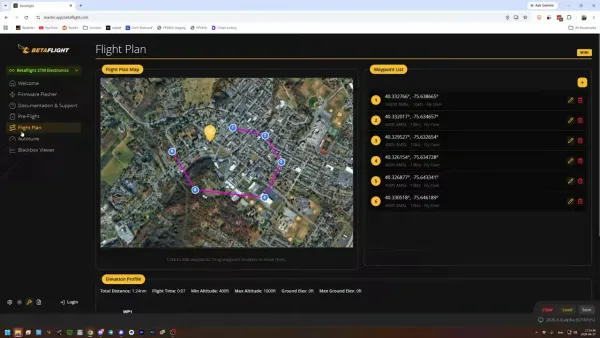
The Betaflight GPS, for a long time, had a serious issue that could easily lead to a flight controller being frozen in mid-air, thus transforming it into a quad similar to the drop of a powered brick. Ultimately, the answer to the problem seems to be more about the right configuration hygiene, which is quite lucky since it is always a hassle to chase a quad under the bush after a crash.
TLDR: What you actually need to know
- A Betaflight flight controller can freeze completely if GPS is enabled but the FC cannot communicate with its GPS module.
- A freeze is not a normal failsafe, so Return-to-Home and turtle mode will not recover the quad.
- GPS enabled on a BNF quad with no physical GPS fitted is one reported trigger.
- If GPS OSD elements vanish completely at power-up, do not arm or fly the quad.
- Betaflight 2025.12.3 reportedly includes some mitigation, but no flight controller family is described as fully protected.
- Best for: Pilots using GPS-equipped quads, or BNF models that may ship with GPS settings already enabled.
- Avoid if: You plan to assume that an unused GPS port setting is harmless. Software has other hobbies.
What is the Betaflight GPS freeze bug?
The whole flight controller is going to be frozen down with this error when Betaflight is having the GPS on but not able to synchronize with the corresponding GPS hardware. That is why the quad is going to fall not because it has been activated to a failsafe mode but because the FC has crashed and is not functioning anymore.
- The most obvious thing that can be seen in the DVR video is the OSD font image freeze just before the marine makes a crash. This is crucial since a frozen OSD indicates a lock-up of the flight controller and not a receiver failsafe, a depleted battery, or a quadcopter that has independently made a decision to meeting its landing without the others.
The quad has to be directly taken back and power-cycled so it's not a choice; it's the way to recover. There are no things like return to home rescue, disarm and rearm trick, and it can't switch to turtle mode.
The trigger is reported to be sporadic, according to records. Quartets are capable of doing a flight test repeatedly with similar configurations and thus look good but sometimes they don't. Having not crashed before is not a valid finding of the diagnostics.
How does a GPS configuration cause a flight controller crash?
The main problem that you will face as a user of the GPS is its incompatibility with Betaflight, which is again the case for a malfunctioning GPS receiver. This can happen due to not having a GPS module connected, a loose TX or RX wire, a broken wire, or any other problem that interferes with serial communication.
Furthermore, it happens quite frequently to get into the situation of being stuck in a bind-and-fly model, which is provided with GPS and non-GPS variants. A single Betaflight configuration is what the manufacturer can utilize for both GPS and non-GPS, the latter one with GPS enabled even without the module in the model. It is to store a configuration file and then to pass it to the new user along with that catches the idea of a mini lottery ticket.
A module can never be completely safe even with it alone. A signal wire getting disconnected in the operation might provide the FC with the same loss of communication. Prior to treating a GPS-equipped build as ready, always inspect the module, its power, ground, and both UART signal wires.
GPS mounting still matters for reception and interference, but this fault concerns communication between the module and FC. For the physical-installation side, see our guide to where to mount a quadcopter GPS module.
How do you check whether GPS is enabled in Betaflight?
Locate GPS in the Sensor Inputs column on a UART in the Open Betaflight Configurator. To do this, first, ensure that you are in the Ports tab. In case the quad does not come with a GPS receiver, mark it as Disabled and update the configuration.

This preflight check should be implemented on all BNF models and must be done strictly when the frame is equipped with a GPS mount or listed under products that have GPS-ready. Certain aspects like—wires present but not set up, for instance—could also denote the use of the term "GPS-ready" in this context. Besides this, it is possible for the program settings not to be in the menu but for the hardware to be still uninstalled.
If the quad features a GPS, the UART selection and baud rate need to match the module configuration settings. Nevertheless, one must keep in mind that the Ports tab which appears correct does not guarantee that the FC is receiving the correct GPS serial data.
Betaflight is only one option in the flight-controller world, but it is common enough that configuration mistakes travel well. Our flight controller firmware guide covers where Betaflight fits beside iNav, ArduPilot, PX4, and other firmware projects.
Why are missing GPS OSD items a no-fly warning?
When you are starting up the GPS OSD items and they are entirely gone, it indicates that the Betaflight is not having a proper communication channel with the GPS. It should be remembered that this can happen not just with the inability of a satellite to find a zero but also with the GPS not being fixed at all.
OSD can show the GPS fields with no satellites when a cold GPS module and the receiver are looking at the sky. That's the way it should be. The real abnormal condition is when the configured fields like the GPS satellites, latitude, or longitude, are completely gone.
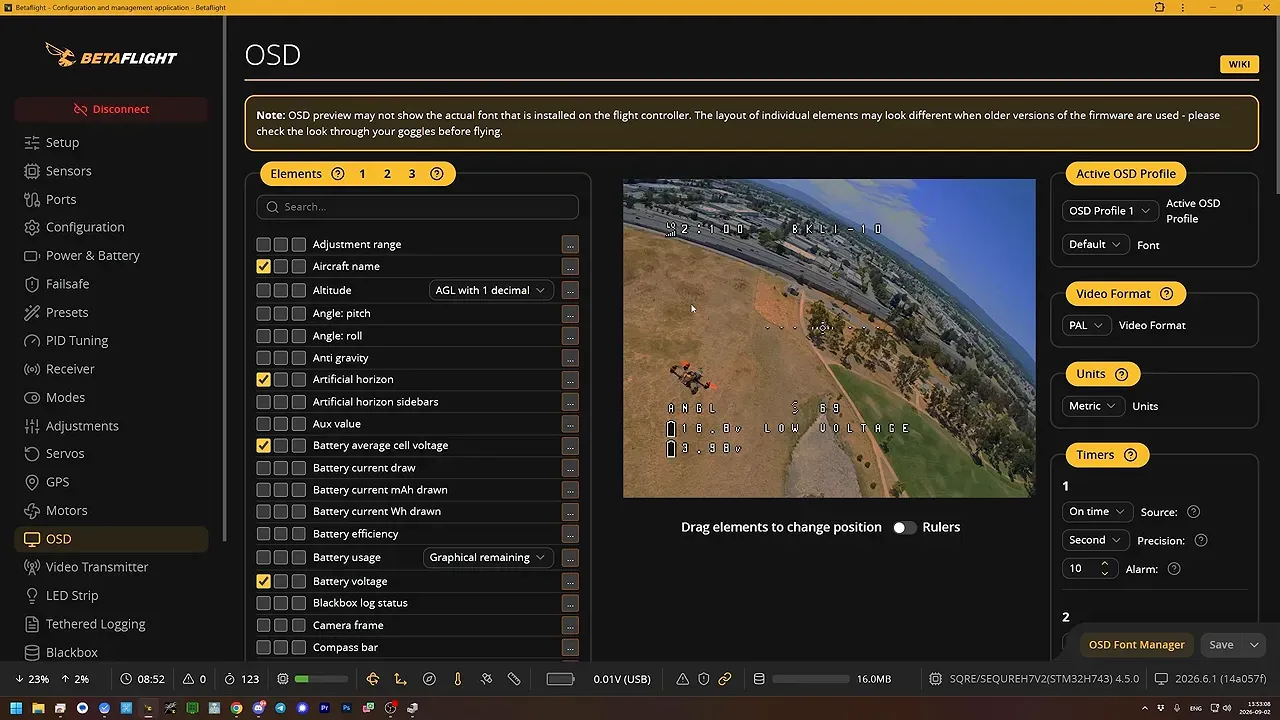
The OSD GPS system offers essential navigation support throughout your journey, hence it's right to pre-configure it as a part of the power-up check. Instead of showing the missing elements just reading zero, if the GPS is not connected, you should stop there and check the Ports assignment and GPS connection.
The practical conclusion is that it is unequivocally clear: Flight is impossible without GPS OSD fields. It is quicker than driving out of town to pick up a quad and trying to read the crash log to yourself afterward.
Does Betaflight 2025.12.3 fix the GPS crash?
The available details suggest that the most recent version of Betaflight is 2025.12.3 and it has been added with increase some degree of protection against this error; although, it does not address the issue entirely. The best solution to this problem is to, either, eliminate the incorrect GPS configuration completely or re-attain the lost connection line which is disposed at the physical module.
The perception of F4 boards as immune is inaccurate because they turn out to be more favorable in certain technical studies. Also, the documentation states that the F4 boards are loaded with a higher level of protection than F7 H7 and G4 boards as observed. However, this is not a sufficient reason to disregard F4 treating it as immune. Nobody has ever mentioned a processor family that is 100% safe from attacks.
A later upstream fix was proposed for Betaflight 2026.12 through pull request #15685. Firmware menus, target support, and custom-build options can change, so treat a pull request as development work until it lands in a release that supports your board.
At first, pilots tend to forget about flashing experimental firmware with custom defines. The most important task is to correct the Ports tab, and only then, via the usual firmware updating procedure, do it when a release version, after testing, has your target supported.
What should you do before flying a GPS-equipped quad?
Prior to the very first flight, it is essential to verify the GPS configuration and OSD state following build, repair, firmware flash, or new model setup. Instead of being handed over to possible failure mode, which has only slight room for smart stick maneuver, you can just take a few minutes and proactively check the GPS configuration and OSD state before the first flight after either a build, repair, firmware flash or new model setup.
- Connect the quad to Betaflight Configurator with props removed.
- Open the Ports tab and find any UART configured for GPS.
- Disable GPS and save if the quad has no GPS module fitted.
- If GPS is fitted, inspect its power, ground, TX, and RX connections.
- Power the quad and check that GPS OSD fields appear, even if the satellite count is zero.
- Do not fly if those fields are absent, or if the GPS link is known to be unreliable.
Thus it appears that the technology is relevant for both the established models and the new ones. According to the statements, the issue has been discovered in a significant number of the Betaflight versions, thus it could be that an old quad that has performed well so far was simply fortunate.
Sources
- Yaros FPV: Critical Betaflight GPS Bug That Can Freeze Your FC Mid-Flight
- Betaflight GitHub pull request #15685
- Unmanned Tech: Betaflight articles and troubleshooting guides
FAQ
Can Betaflight GPS cause a quad to fall from the sky?
Of course, it can happen only following the bug situation that GPS is active and the flight controller loses connection . Assistant is GPS. As a result, FC could be completely frozen, which can lead to a quad that is not able to stabilize or act properly.
Should GPS be enabled if no GPS module is installed?
Definitely! You just need to disable the entry of GPS in the Ports tab of Betaflight Configurator, save the config and you are great to go. Leaving GPS on without having the hardware is the most common cause of this lock-up problem.
Does zero satellites mean the Betaflight GPS bug is active?
It is currently impossible to find any normal GPS receiver that can pair with satellites due to the fact that they are not yet available. A more concerning factor is the complete lack of GPS OSD elements which indicates the fact that Betaflight is not in touch with the module at all.
Can Return-to-Home recover from a frozen Betaflight flight controller?
Zero. Achieving a total FC freeze cannot be labeled as a standard failsafe event. The recovery path referred to here is that of taking back the quad and power-cycling it.
Are F4 flight controllers safe from the Betaflight GPS crash bug?
F4 boards are viewed as more robust relative to the other boards like F7, H7, and G4. They are not stated to be resistant to risks immune to them, and therefore, the same GPS configuration checks are generally carried on these.