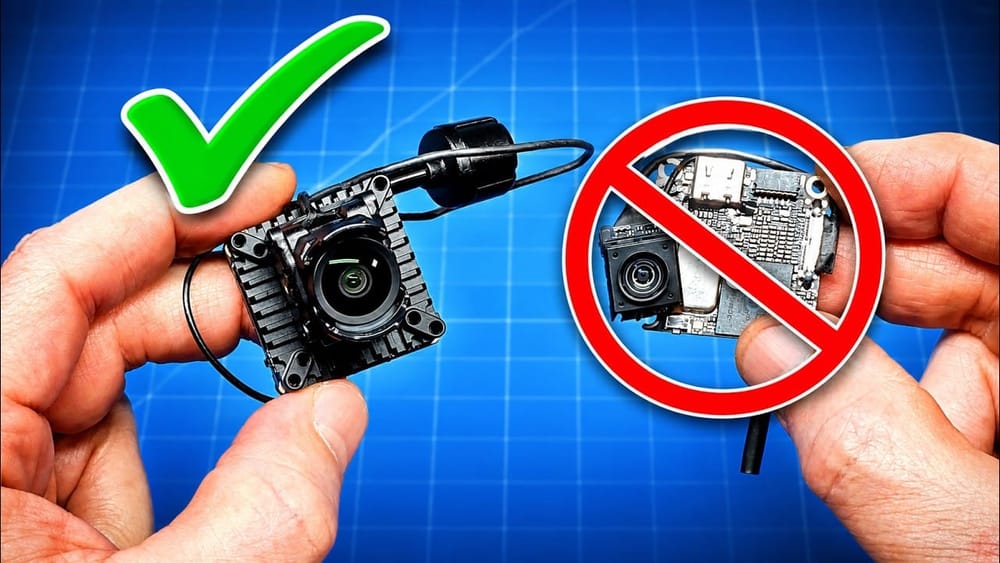
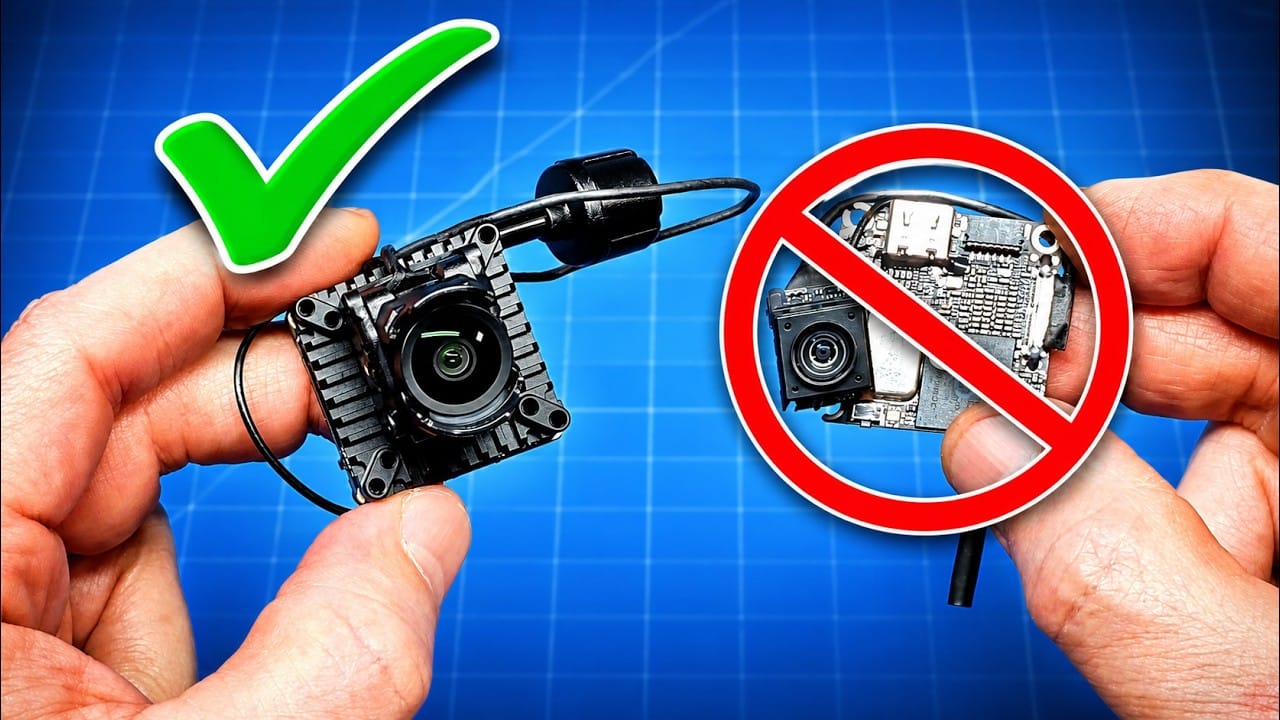
The Flywoo DJI O4 Wide Air Unit fixes the cramped field of view that made the original O4 Lite awkward indoors. It also adds substantial mass, because physics remains stubbornly unwilling to negotiate with FPV marketing.
TLDR: What you actually need to know
- Field of view: Flywoo rates the O4 Wide at 159 degrees, up from roughly 117 degrees on the original small DJI O4 camera.
- Weight: The stripped Flywoo O4 Wide measured 17.19g, versus 9.27g for the outgoing original DJI O4 Lite setup.
- Pro set weight: The more protected Pro assembly measured just over 28g before accounting for every mounting choice.
- 1S power: It remained functional on a 1S Firefly18 test quad down to 3.2V, but the flight controller needs a solid 2A BEC.
- Best for: Pilots building 3-inch-and-larger quads, or anyone who values a wide digital image more than minimum all-up weight.
- Avoid if: The build is a weight-sensitive 1S micro where every gram is being interrogated by thrust-to-weight ratio.
- Conclusion: The wider view is a necessary improvement, but the mass penalty makes this a less clean fit for tiny performance-focused builds.
What replaces the original DJI O4 Lite?
The Flywoo DJI O4 Wide Air Unit is positioned as a practical replacement for the original compact DJI O4 setup, sometimes called the O4 Lite. The older unit is reportedly disappearing from normal standalone availability, leaving pilots with fewer choices for light DJI digital builds.
The replacement brings a much wider camera view. That matters most in close spaces, where a narrow image can make indoor flying feel like steering through a letterbox with props attached.
The tradeoff is plain: this is no longer a near-9g video system. It is a more capable, more configurable unit that asks more from the airframe carrying it.
Practical takeaway: Treat the O4 Wide as a new fitment problem, not a drop-in weight equivalent for an older O4 Lite build.
How much does the Flywoo DJI O4 Wide Air Unit weigh?
The stripped Flywoo DJI O4 Wide Air Unit measured 17.19g, almost 8g heavier than the 9.27g original DJI O4 Lite reference unit. That difference is enormous on a 1S micro, where a spare screw can already feel like a design review.
The supplied Pro configuration measured a touch over 28g. That figure includes heat shrink, a longer camera cable and larger mounting hardware, so it is not the minimum possible installed weight.
- The larger camera mounting bracket measured about 3.8g.
- The slimmer mounting bracket measured about 1.75g.
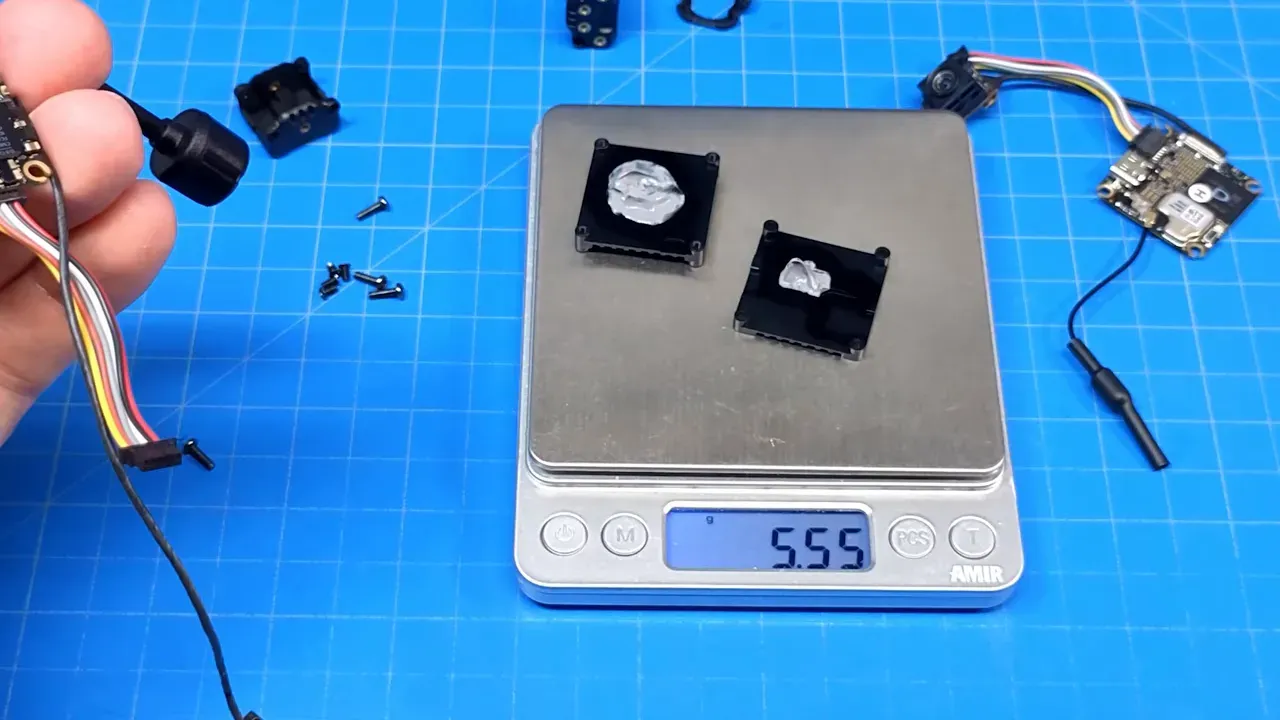
- The two metal thermal plates and their thermal paste measured about 5.55g.
- The lens protector added roughly 0.5g.
The camera can be mounted without the brackets, but the brackets may provide useful strain relief for the MIPI cable after an encounter with the sort of object that was clearly not moving.
Practical takeaway: Remove plates, heavy cable and brackets only after confirming that the frame still protects the camera cable and controls heat adequately.
Does the Flywoo DJI O4 Wide Air Unit improve field of view?
Yes, the reported 159-degree field of view is the strongest reason to consider the Flywoo DJI O4 Wide Air Unit. It is a large jump from the roughly 117-degree view of the original small DJI O4 camera.
Flywoo’s earlier wide camera option was reported at 155 degrees, so 159 degrees is not merely a token revision. The broader image makes close-range navigation more natural, particularly through gardens, around buildings and beneath covered outdoor areas.
The flight footage does show a possible caveat. There appears to be slight warping near the outer edges when passing close objects during yaw turns. That observation is subjective, and it was not severe enough to outweigh the wider view in the test.
The image remains useful in both open air and tight low-level flying. The footage includes fast runs beside fencing, through trees, over roofs and under a covered patio, where the extra peripheral awareness is far more useful than a narrowly framed postcard.
Practical takeaway: Pilots who found the original O4 view too narrow should put the O4 Wide near the top of the shortlist, while accepting some edge distortion.
Is the Flywoo DJI O4 Wide Air Unit good for 1S micros?
It can run on a 1S micro, but it is not the ideal choice for a performance-first 1S build. The unit was flown in a Flywoo Firefly18 1S Nano Baby V3, proving that compatibility is real rather than merely a box-label aspiration.
The flight controller needs a strong 2A BEC. A weaker supply may not cope with the video system’s power demand, which is a particularly unhelpful discovery when the quad is already airborne.
During the reported testing, video continued operating down to 3.2V. That is not a recommended landing voltage. At 3.2V on a 1S pack, the sensible response is to land promptly, unless the alternative is recovering a quad from somewhere more aquatic.
The weight remains the limiting factor. A stripped unit at 17.19g is possible, but it is still far heavier than the old 9.27g setup. For pilots who choose micros for responsiveness rather than image quality, the extra grams are difficult to ignore.
Practical takeaway: Use it on 1S only with a verified 2A BEC and realistic expectations about handling, flight time and battery stress.
How does the O4 Wide gyro affect stabilised footage?
The O4 Wide may matter more to pilots who stabilise recorded footage than to those who simply fly digital. Flywoo identifies its board as using an I-469D gyro, rather than the gyro component associated with the standard DJI board.
Flywoo presents the revised gyro as offering better frame compatibility for stabilisation workflows. That is relevant to the wider discussion around DJI O4 gyro behaviour and GyroGate concerns.
For general-purpose flying without post-stabilisation, the gyro choice may not change the buying decision. For pilots who rely on gyro data to rescue shaky footage, it could be one of the few specification changes that matters more than the camera view.
Practical takeaway: Stabilised-footage users should confirm the exact gyro revision before purchase, especially when comparing stock DJI-derived units and Flywoo versions.
Which O4 Wide Pro set accessories are worth keeping?
The Pro set makes most sense on larger builds where protection, cable routing and thermal hardware matter more than shaving grams. It includes ND filters, two camera mounting options, multiple camera cable lengths, mounting screws, a lens cap and an additional wiring harness.
The longer cable suits larger frames. The shorter, lighter cable is the more sensible option for compact builds. The metal plates with thermal paste are less attractive on a tiny quad, but they make more sense on a 3-inch or larger build, particularly where the unit may sit powered while the pilot gets organised.
The native camera measures about 14mm wide, with roughly 15mm between its mounting points. Front-to-back depth was estimated at about 21mm.
The larger adapter provides a 20mm mounting arrangement and brings the camera-plus-adapter depth to roughly 23.5mm. The slimmer adapter has a central mounting hole and measures about 18mm wide.
Practical takeaway: Keep the Pro hardware for larger frames and hot conditions. For a micro, use only the parts that solve an actual mounting or cable-routing problem.
Does the Flywoo O4 Wide have more onboard storage?
The O4 Wide was reported to have 23GB of onboard storage, which would be a meaningful increase over the presenter’s recollection of 8GB or 10GB on an earlier version. The figure was not independently verified in the supplied material.
More storage reduces the need to stop and offload recordings between flights. That is useful during battery testing or longer outdoor sessions, where repeatedly copying files is a remarkably efficient way to stop flying.
More local space also reduces the chance of losing recorded footage because a flight happened after storage filled. It does not remove the need to copy files eventually, because flash memory is not a long-term archive strategy.
Practical takeaway: Consider the 23GB storage figure a reported benefit, then confirm it against the current product listing before buying.
Is the Flywoo DJI O4 Wide Air Unit worth fitting?
It is worth fitting when wider field of view and stabilisation compatibility outrank minimum build weight. The O4 Wide solves a real usability problem with the original narrow camera, especially for pilots flying close to obstacles.
It is less compelling for builders who prefer the fastest, lightest micro possible. The old compact O4 setup was roughly half the stripped weight, and that difference changes how a 1S or small 2S quad behaves.
The Pro package is the better choice for a 3-inch-plus build that can use its thermal plates, cable options and sturdier camera mounting. The lighter standard configuration is the more rational route for a small quad, provided the BEC and frame layout are up to the job.
Practical takeaway: Buy the O4 Wide for the 159-degree view, not because it resembles a featherweight O4 Lite. It does not.
What evidence is missing from this O4 Wide report?
No manufacturer datasheet, firmware identifier, thermal measurement, long-term crash test or raw onboard recording file was supplied. The reported weights came from the video’s scale measurements, while the gyro and storage details came from Flywoo claims discussed in the report.
The supplied flight samples show real-world image behaviour in bright outdoor conditions, but they do not provide a controlled comparison against the original O4 Lite or another digital FPV system.
FAQ
Will the Flywoo DJI O4 Wide Air Unit work on 1S?
Yes, it was flown on a Flywoo Firefly18 1S Nano Baby V3. The flight controller needs a strong 2A BEC, and the added video-system weight will affect a small quad more than a larger build.
What voltage can the O4 Wide run down to on 1S?
Video remained active down to 3.2V in the reported test. That is not a target voltage for regular use, because a 1S battery at that level is already at risk of damage and should be landed promptly.
Why does the DJI O4 Wide feel heavier than the old O4 Lite?
The stripped Flywoo unit measured 17.19g, while the old original DJI O4 Lite reference setup measured 9.27g. The Pro version adds brackets, cable length, heat shrink and thermal hardware, pushing the assembly to just over 28g.
Does the Flywoo O4 Wide camera have edge distortion?
Slight edge warping was noticed during close passes and yaw turns. It was presented as a subjective observation rather than a measured optical defect, and the wider 159-degree view was still considered worthwhile.
Should the O4 Wide thermal plates stay installed?
They make the most sense on larger builds and in warmer operating conditions. Removing them saves 5.55g, but builders should consider cooling needs and physical protection before stripping the assembly.
Is the O4 Wide Pro set better than the standard set?
The Pro set is better for larger frames that benefit from ND filters, cable choices, mounting hardware and metal thermal plates. The standard configuration is the more appropriate starting point for a tiny quad where mass matters more than accessories.
What Flywoo DJI O4 Wide Air Unit specs were reported?
| Specification or claim | Reported figure |
|---|---|
| Wide camera field of view | 159 degrees |
| Original small O4 camera field of view | Approximately 117 degrees |
| Stripped Flywoo O4 Wide weight | 17.19g |
| Original DJI O4 Lite reference weight | 9.27g |
| Pro assembly weight | Just over 28g |
| Large camera bracket | Approximately 3.8g |
| Slim camera bracket | Approximately 1.75g |
| Thermal plates with paste | 5.55g |
| Native camera width | Approximately 14mm |
| Camera mounting-point spacing | Approximately 15mm |
| Required 1S BEC capacity | 2A |
| Reported onboard storage | 23GB, not independently verified |
Source: FlyWoo DJI O4 Wide Air Unit & Pro Set, Nick Burns.
This article was based from the video FlyWoo DJI O4 Wide Air Unit & Pro Set